Documentation Summary
Showing IDs
Storefront 9 changes how the Shuttleworth SOP and Job numbers are shown. They require more configuration, but allow for more control as to how these can be displayed.
Admin Site
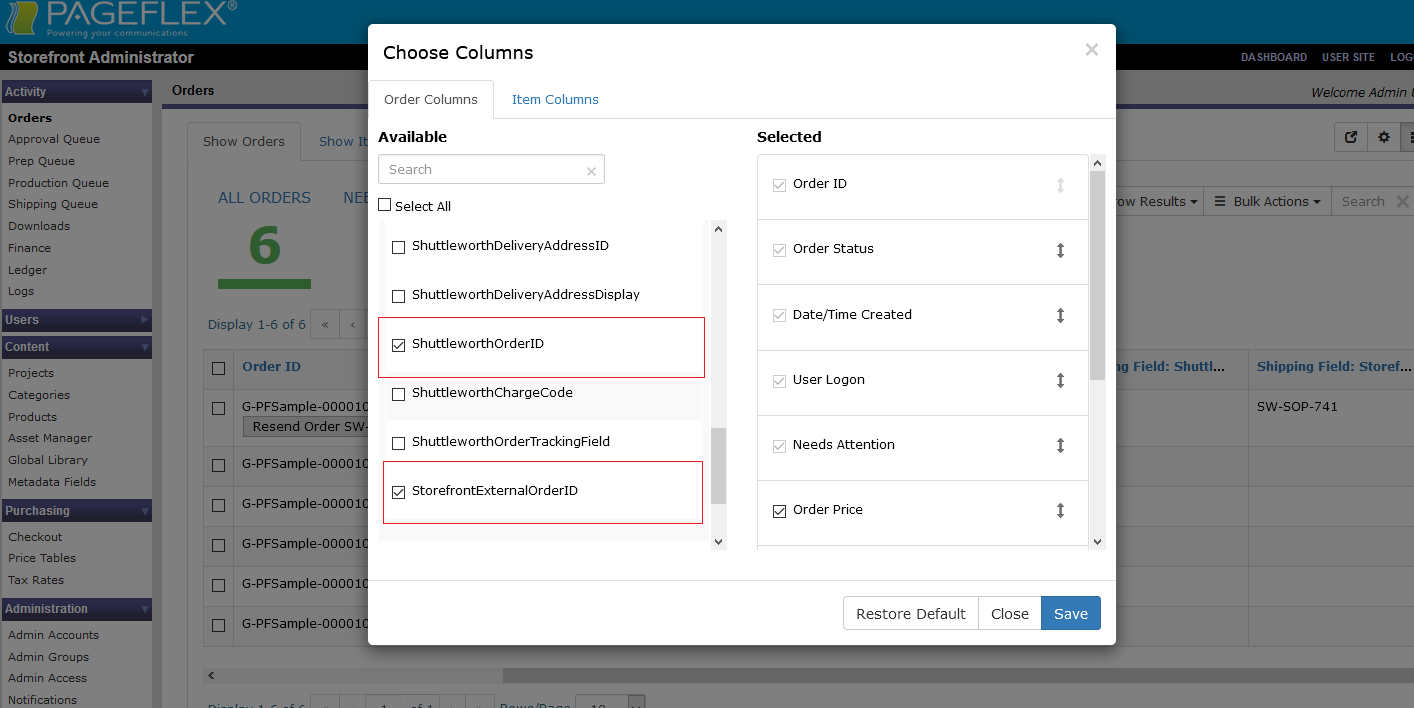
The Admin orders and items pages can be updated to show the Shuttleworth SOP and Job numbers using the “Choose columns” feature. This means theat the fields can now be be rearranged rather than always appearing as the last column. These fields must be created manually to appear in the list, as described below.
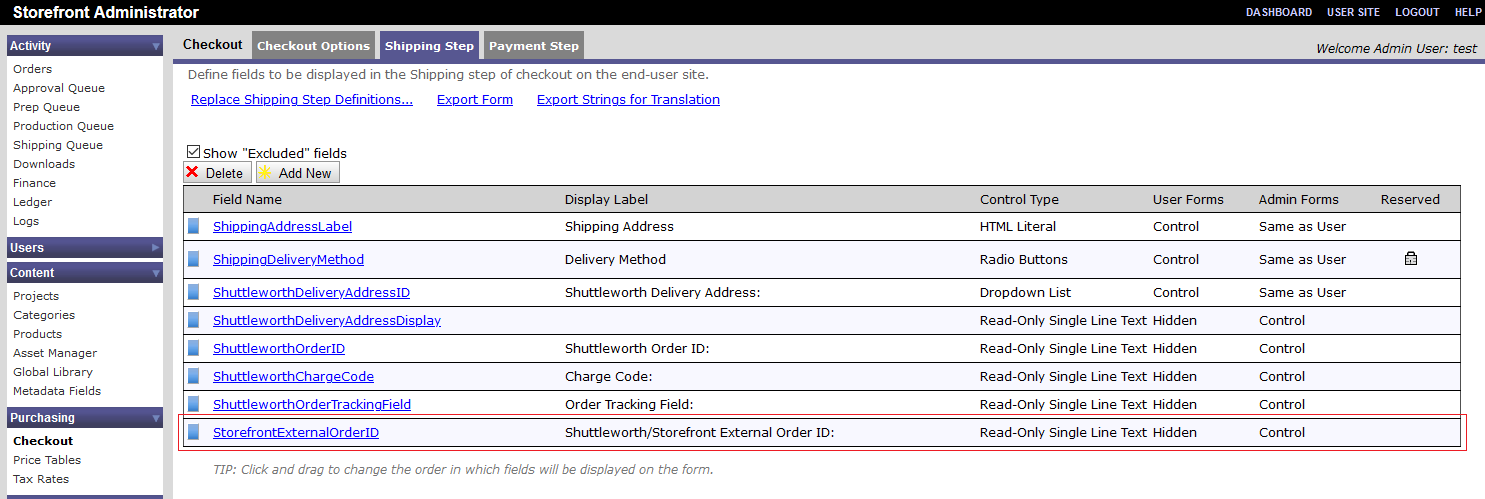
A StorefrontExternalOrderID shipping field needs to be created as a read-only single line text field which is hidden on user forms.
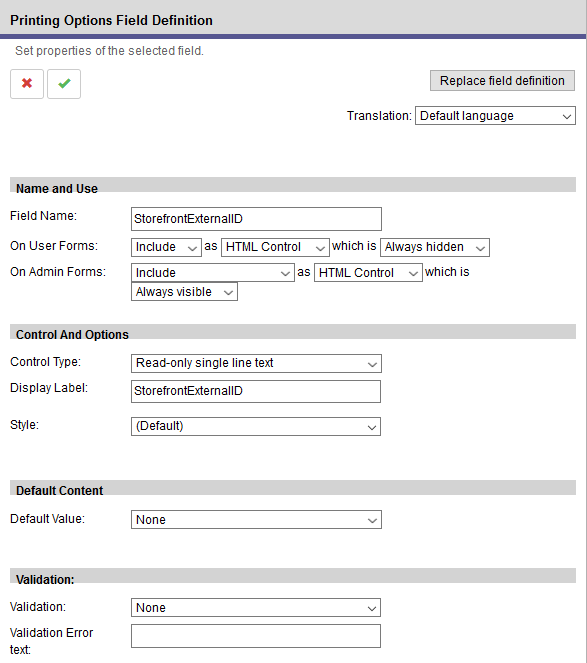
A StorefrontExternalID printing field needs to be defined on any single released product for it to be available for selection. Like the shipping field, it must also be a read-only single line text field which is hidden on user forms.
User Site
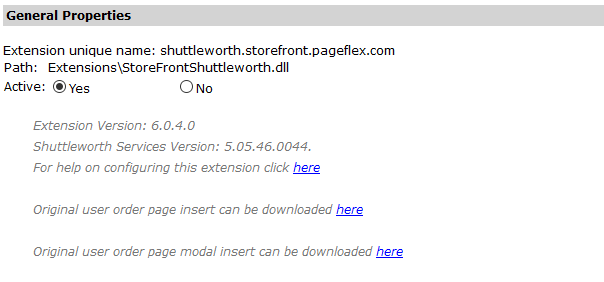
The User Orders page can be modified to show Shuttleworth SOP and Job numbers using HTML inserts from Storefront 9.3 onwards, allowing for a wider choice of where and how to show the IDs. Any changes made to the inserts outside of what is described in this documentation is not supported.The original unmodified inserts can be downloaded using links on the top of the extension configuration page. As with other Storefront inserts, these must be included in the theme’s inserts folder to take effect.
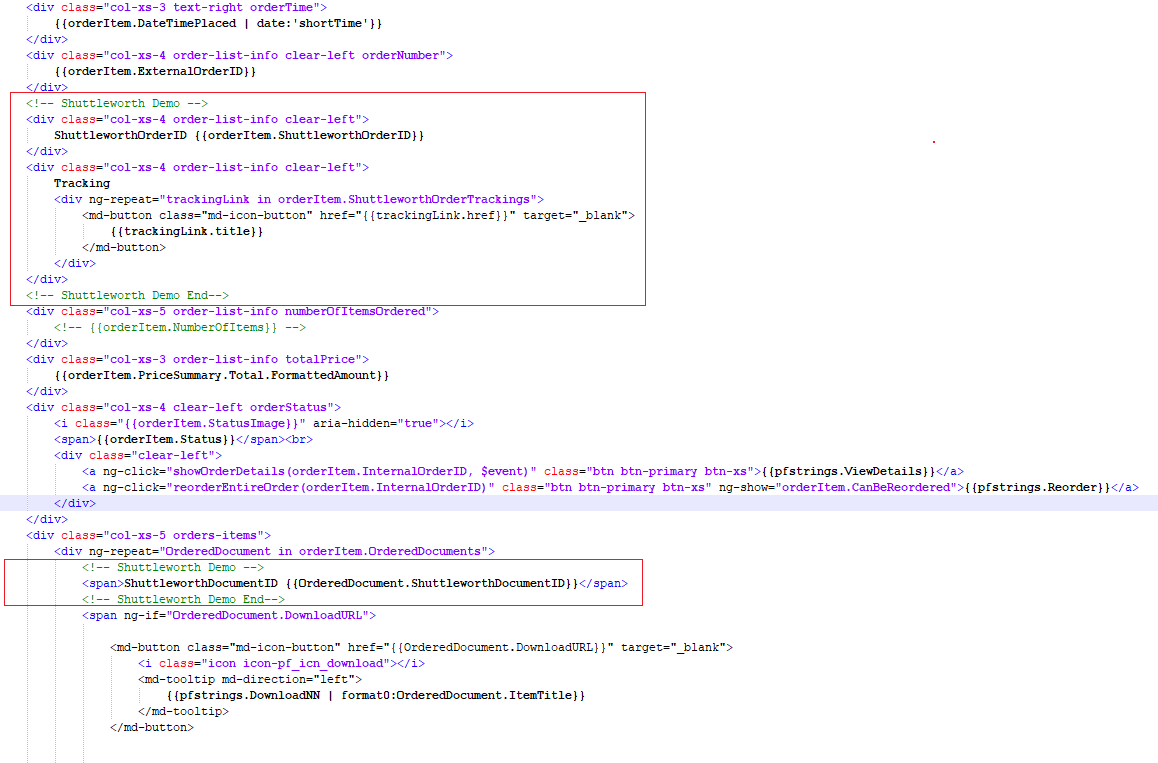
The order page insert or card insert corresponds to the tiles on the orders page for each individual order.

The card insert can be modified to show custom Shuttleworth SOP and Job numbers by inserting the following syntax:
{{orderItem.ShuttleworthOrderID}} which corresponds to the value in the order field.
{{OrderedDocument.ShuttleworthDocumentID}} which corresponds to the value in the printing option field. This must be within an reapeating div element as shown in the example below so it can list the values for each item in an order.
The modal insert corresponds to the modal window shown when a user clicks “View details”.
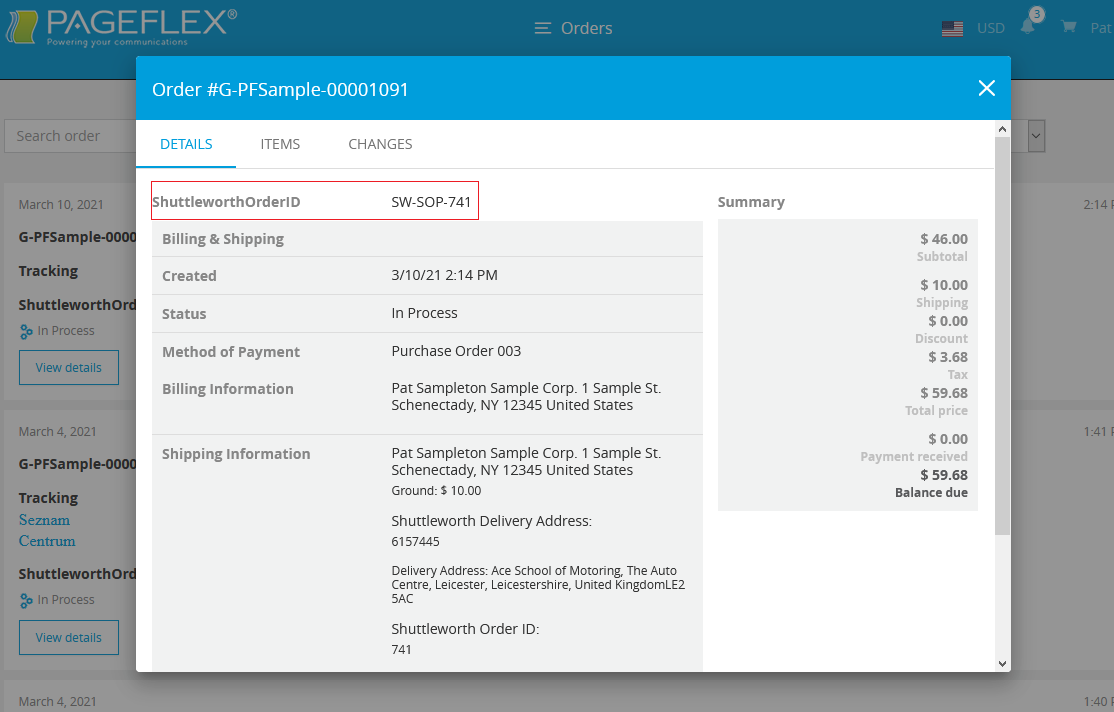
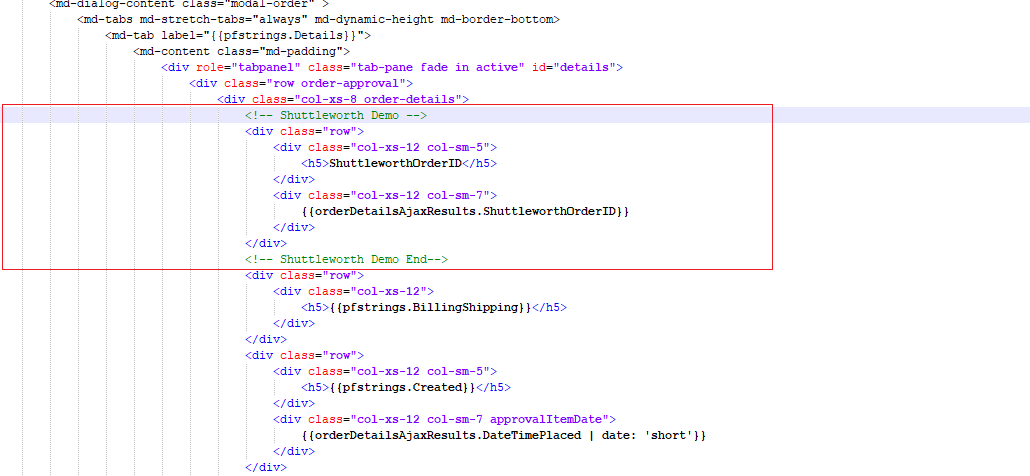
The modal insert can be modified to show custom Shuttleworth SOP and Job numbers by inserting the following syntax:
{{orderDetailsAjax.ShuttleworthOrderID}} which corresponds to the value in the order field. This syntax only works when modifying the Details tab and not the Items or Changes tabs of the modal insert.