 Documentation Summary
Products
To enable the product features go to the extension configuration and in the “Schema Fields” section tick Create on all those items marked with “[ProductField]”.
The extension settings should now confirm the fields exist.
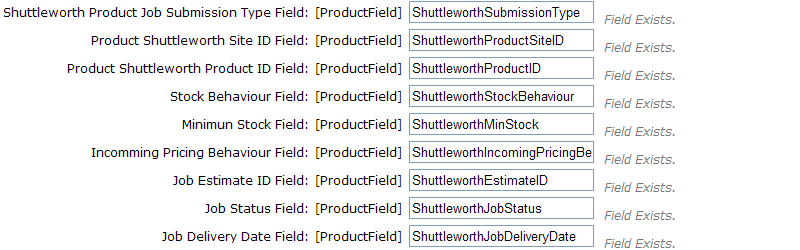
The mappings should not be changed unless these fields clash with existing fields used by another extension or process.

The job submission type determines what options are available for configuration.
SOPs
If you select SOP then you must also select a Product. This product will then send an SOP to the Shuttleworth system when this item is ordered. The pricing for the product will come from the Shuttleworth system.
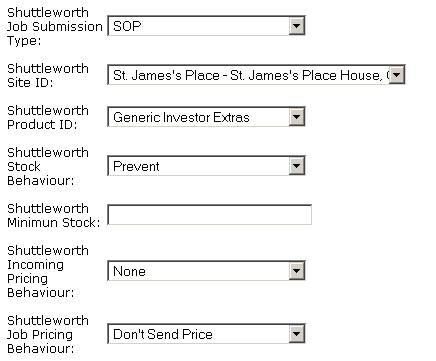
The only purpose of the Site ID field is to filter the list of products available to select from. It has no user-facing function.
JOBs
Jobs require the master estimate to be defined for it to be to be sent to Shuttleworth when Ordered. The initial status of the Job can be set to either Job or Job Pending. The Shuttleworth Job Delivery Date field defines the lead time to produce and deliver the product.
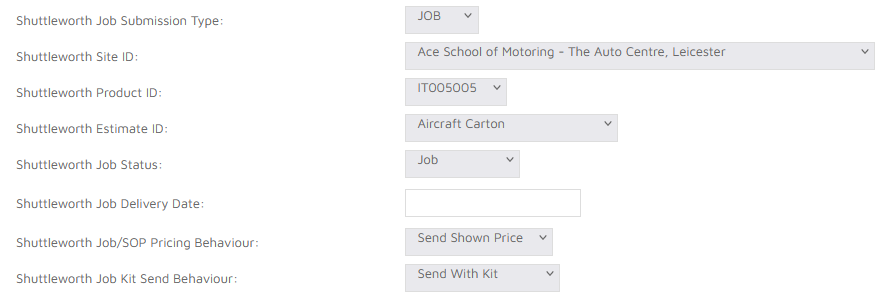
Shuttleworth Job Kit Send Behaviour specifies behaviour of the kit parts not having its own Shuttleworth Estimate ID set. As a standalone such product cannot be ordered in Shuttleworth, while as a kit part, when Kit Send Behaviour is set to Send With Kit, artwork of the product would be attached to main kit product artwork, if the kit product was successfully posted Shuttleworth as JOB.
Static products like hosted or uploaded PDF’s need to be set for Final Output Action with Set status to ‘Rendered’ and copy to Output Folder.