 Documentation Summary
Handling Errors
Issues with the integration will either stem from problems in Storefront or problems in Shuttleworth.
Storefront issues usually stem from the ordering process or artwork generation process. These issues can usually be resolved with the Resend Order or Resend Artwork buttons.
Shuttleworth issues tend to be caused by misconfiguration. The configuration errors usually need to be resolved before attempting to resend any orders or artwork.
All errors are saved to the logs, the logging error levels can be set to None, Low or Debug. For day-to-day operation, it is generally recommended you use one of the first 2 options. Low is the default setting, showing only important information and errors. You should only set the level to Debug if you are experiencing issues with the integration and need to find the cause, as it provides very detailed information in the Storefront logs. For deployments with high volumes of activity, setting the logging level to Debug can impact performance, if you do need to set the logging to this level, it is recommended you revert to a lower setting after diagnosing your issue.
When fatal error occurs in the sending of an order an email can be generated. This will happen when all the fields in the configuration section are filled in:
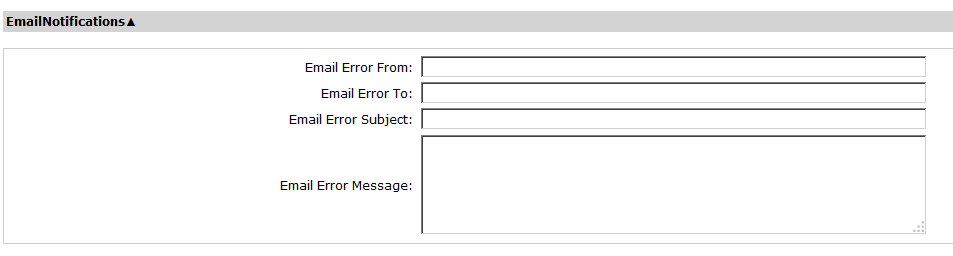
Please note that you can use the same variable syntax as the default Order Placed Storefront notification (e.g. <Order:OrderID> ) in these fields.