 Documentation Summary
Section Extrinsics
Setting Up Section Extrinsics
Extrinsics are optional elements that can be used to send additional data to Tharstern. Extrinsics beginning with “section” are used to filter paper line components on an estimating template by using the second part of the extrinsic name, after the full stop, to match against the component Job Part name. As such only extrinsics starting with ‘section’ can be sent to Tharstern.
To use section extrinsics, set up a new Printing Option or Form Filling field in Storefront admin site. This field should be of single line text or dropdown list box control type and which is named according to the convention “section_x_y” (2-tiered) or “section_x_y_z” (3-tiered).
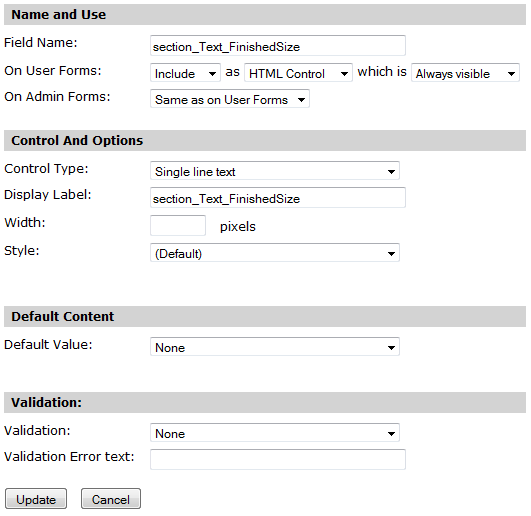
The value entered into this field on the printing options or form filling step will then appear in the order XML as follows:
Similarly 3-tiered section extrinsics can be created. The value entered into the field named “section_Cover_Process.Laminating_Process.Laminating.CostCentreCode” will then appear in the order XML as follows:
When the value of the printing option or form filling field is empty, the relevant section extrinsic is not added to the output XML.