Documentation Summary
User Interface
User Interface Options
The current RightMarket extension comes with two graphical user interface (GUI) modes for users to acquire data: Standard and Advanced. Both interfaces allow users to select the same filter options but are presented in different ways. The Standard GUI is enabled by default, but can be overridden in two areas if needed (in the following order of precedence): At individual Storefront product levelAt individual Storefront user level
To set GUI mode at the product level, a product metadata drop down field called “RightMarket Product GUI Mode” is available with the following options: “Sold on your street” for the Sold on your street view, “Radius search” for the Mapview of the Standard user interface, “Default (based on user profile)” for the user interface selected in the user profile (see below).

To set GUI mode at the user level, there is a user profile field “RightMarket GUI Mode” with the following options: “Standard” for the Standard interface, “Standard (old) for the legacy Standard interface, “Advanced” for the Advanced interface, “Advanced (old)” for the legacy Advanced interface.

Standard User Interface
The Standard RightMarket GUI has two views - “Geography” and “Sold on your street”
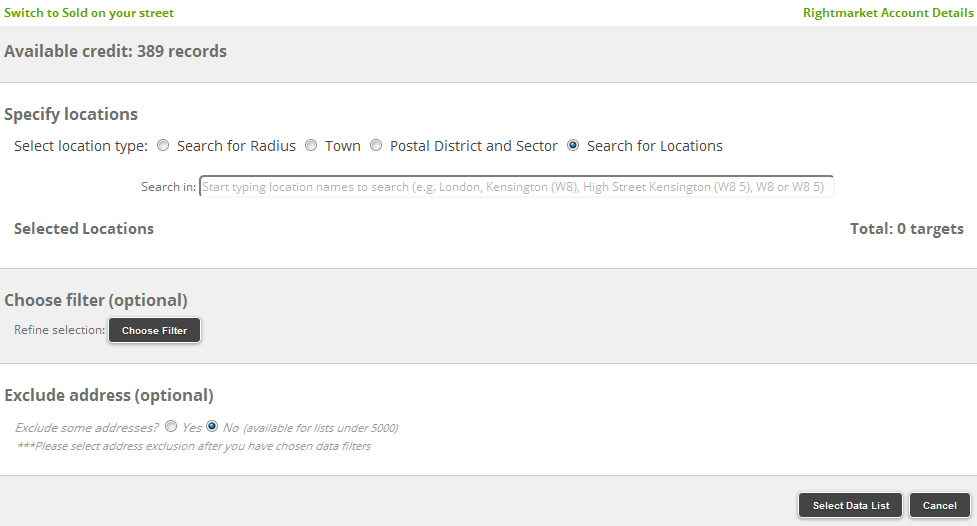
The “Geography” screen offers 4 different ways to specify selections and filters. The first view is “Search for Locations”. In this view users can enter multiple locations in the “Search in” text box, locations can be towns, postal districts, postal sectors etc. The results can be refined by specifying demographic and/or financial criteria just like in the previous views.
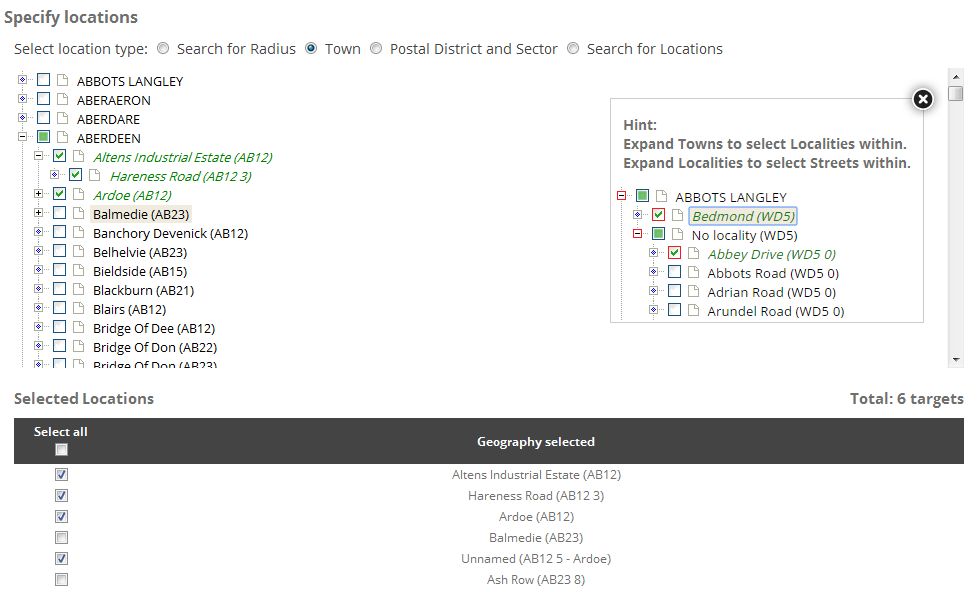
The second and third option within the Standard RightMarket GUI use tree a view with towns or postal districts being the root level of the tree. Users can to make multiple selections. The results can be refined further by specifying demographic and/or financial criteria.
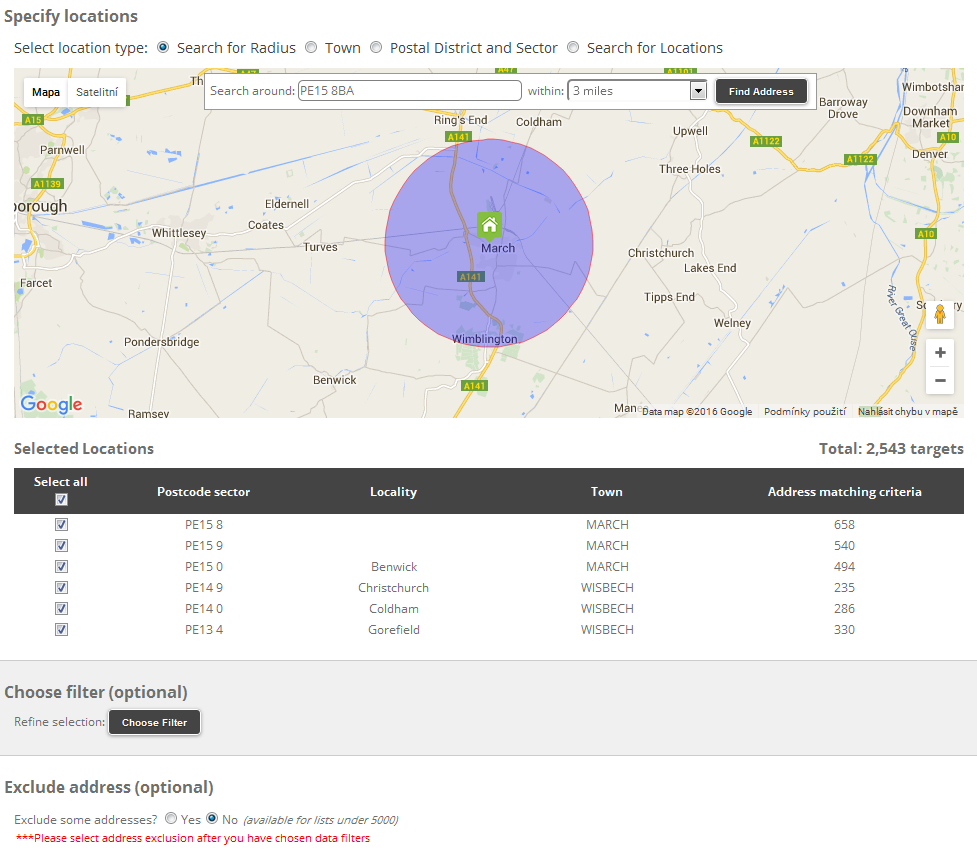
The last view is “Search for Radius” which allows users to select a geographical point in the map by clicking into it or by typing (part of) the post code in the text box and specifying radius in the adjacent drop down. Optionally the results can be refined by specifying demographic and/or financial criteria.
Sold On Your Street User Interface
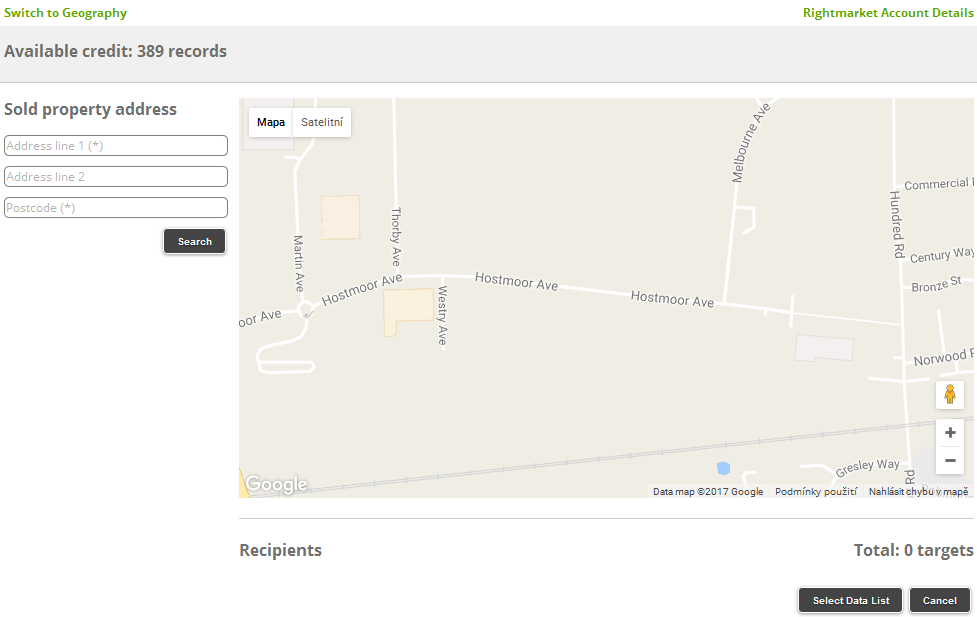
The “Sold on your street” view offers two search modes: “Whole street” and “20/20 address” and was designed for the real estate industry.
Advanced User Interface
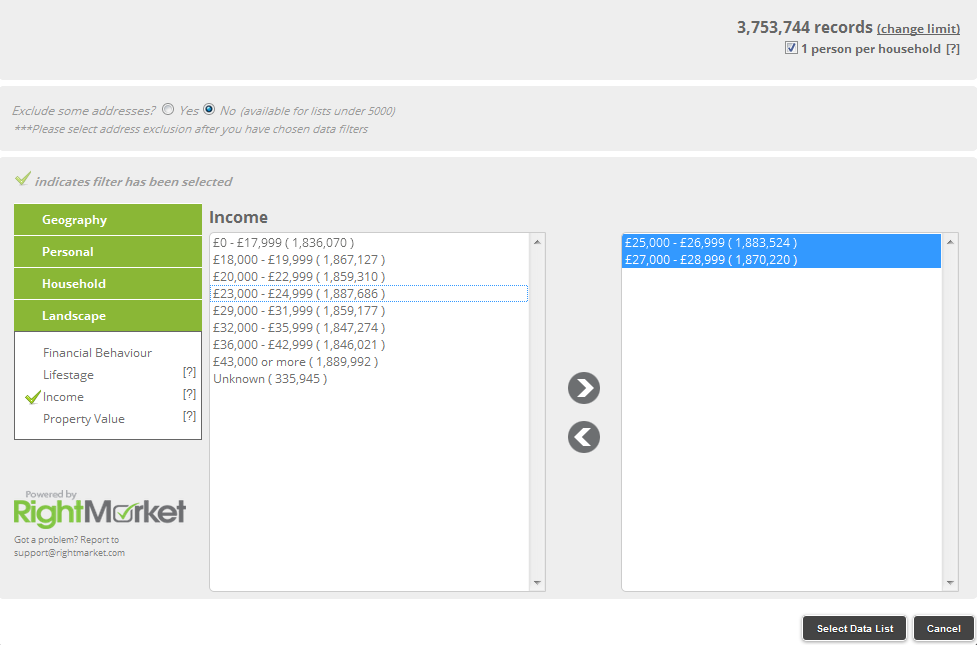
The Advanced RightMarket GUI offers a more direct way to specify multiple search criteria but it does not show any maps or tree views. The filters are divided into 4 groups: Geography, Personal, Household and Landscape. In the Geography group users can find the following filters: Postcode District, Postcode Sector, Town, Locality and Street. In the Personal group there are the Age, Gender and Marital Status filters. Household group contains Council Tax Band, Years Of Residency, Household Composition and Property Type. Finally the Landscape group consists of the Financial Behaviour, Lifestage, Income and Property Value filters. Multiple filtering criteria in multiple groups can be selected - the tick icon indicates which filters have been used.