Documentation Summary
Product Settings
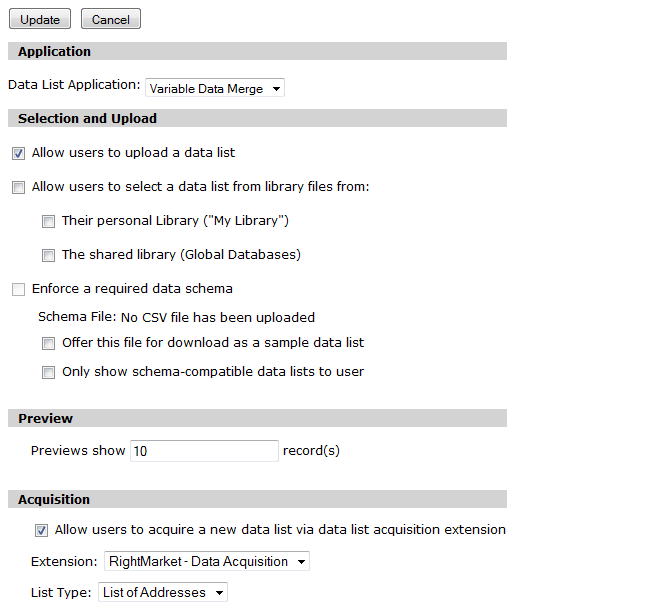
In order to use the data acquisition extension, products needs to be set up to include a Data List step. This is done in Storefront Administration area under “Content > Products”. In the Data List settings, ensure that data acquisition is allowed and the extension should be set to “RightMarket - Data Acquisition”. Next, click “Map Data List Fields” and map the desired fields to those present on the product template.