 Documentation Summary
Functionality
User Mail Client
The Extension sends an email to each of the site-users every first Monday of the configured months. The site-user then receives the email which may look like this:
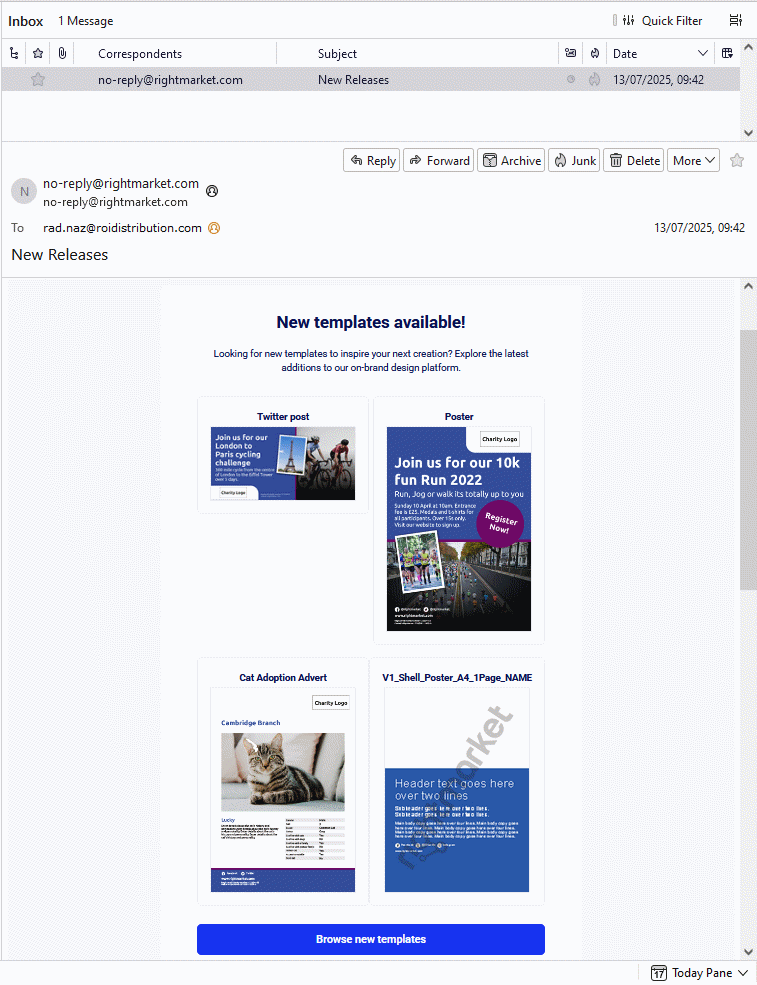
The user can click one of the four image thumbnails which opens their browser window on the Design Customise Page of the clicked Template. If the user is not logged in yet, they are forced to the site Login page first. After the successful login, they are brought to the target Customise Page.
Depending on the number of the new Templates and the user Access Settings, the individual user-email can contain between one and four Template thumbnails. Theoretically, each user can receive their own unique email because all of the users can differ in their Access Settings.
The Customise Page always starts a new Design based on the latest Template release even if the user has clicked an image thumbnail in an older email pointing to an older release.
If the Access Settings have been changed and the user can no longer access certain Templates, then licking a link will direct users to the Templates overview page (UserJCatalog.aspx) instead.
Users who are archived, suspended or unsubscribed will not receive emails.
The email campaign starts every first Monday of the configured months at 8 o’clock in the morning. In order to lower the burden on the server, on each site, the exact start-time is randomly postponed by up to sixty minutes. The default months are: January, March, May, July, September, November. Please see the Setting Up page to learn about the Months configuration.