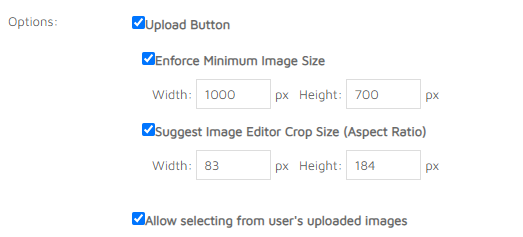
Documentation Summary
Image Fields Configuration
Each product’s image field needs to be configured using FormFilling image field configuration. You can specify if Third Light Chorus is used as the image library service.
The Third Light Chorus settings are present at the bottom of the Form Filling Field Definition page.
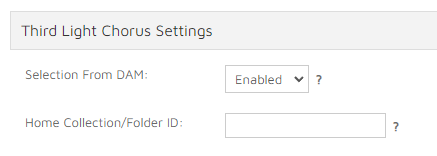
Selecting from DAM can be enabled for the selected image field by setting the dropdown value.
Upload Button behaviour covers the combination of the functionality of the Storefront Upload button when selecting from Third Light Chorus is enabled.
The following options can be used:
- Hide, but respect Minimum Image Size and Crop Size when the upload button is enabled
- Don’t hide, and only respect Minimum Image Size and Crop Size when the upload button is enabled
Depending on the settings, the Storefront Upload button is either shown or hidden by the extension, but the Minimum and Crop size settings are only applied when the Upload button itself is enabled in the standard Storefront settings for the image field.