Documentation Summary
Setting Up
Setting Up
Installation
.zip file set up
Remember to change all the asset files within the Theme so they’re pointing to the latest theme version and not any previous themes. The HTML files which hold the asset links in question are [Page_Approvals_top, Page_Login_Bottom_, Page_Login_Bottom, Page_Login_Top, Page_Login_top, Page_Orders_top, Page_Profile_top, Page_ShoppingCart_top, Page_Start_Top, SiteFooter, UserSiteHeader, HelpWidget, KnowledgeBase]
Create a .zip file that contains the following folder structure: Install\WebPages\Custom\Themes\<themefolder>.
Included within the Install folder at the WebPages level, an install.config file must be included which contains the following:
<Extension>
	<Description>Theme</Description>
	<StorefrontVersion>9.6</StorefrontVersion>
	<FilesToBeIgnoredByInstaller>
		<!--File PathAndName="<folder>\<folder>\<file>" /-->
	</FilesToBeIgnoredByInstaller>
	<ConfigurationOrDataFilesThatMustNotOverwriteExistingOnes>
		<!--File PathAndName="<folder>\<folder>\<file>" /-->
	</ConfigurationOrDataFilesThatMustNotOverwriteExistingOnes>
</Extension>
Update the Storefront version relevant to the latest version live on customer sites.
To see an example, click here.

Within the Install Folder, update the ‘Update Global Theme.sql’ file so that VarValue points to the current theme name.
Adding to Manage inventory
In Manage inventory, navigate to RightMarket > Theme.
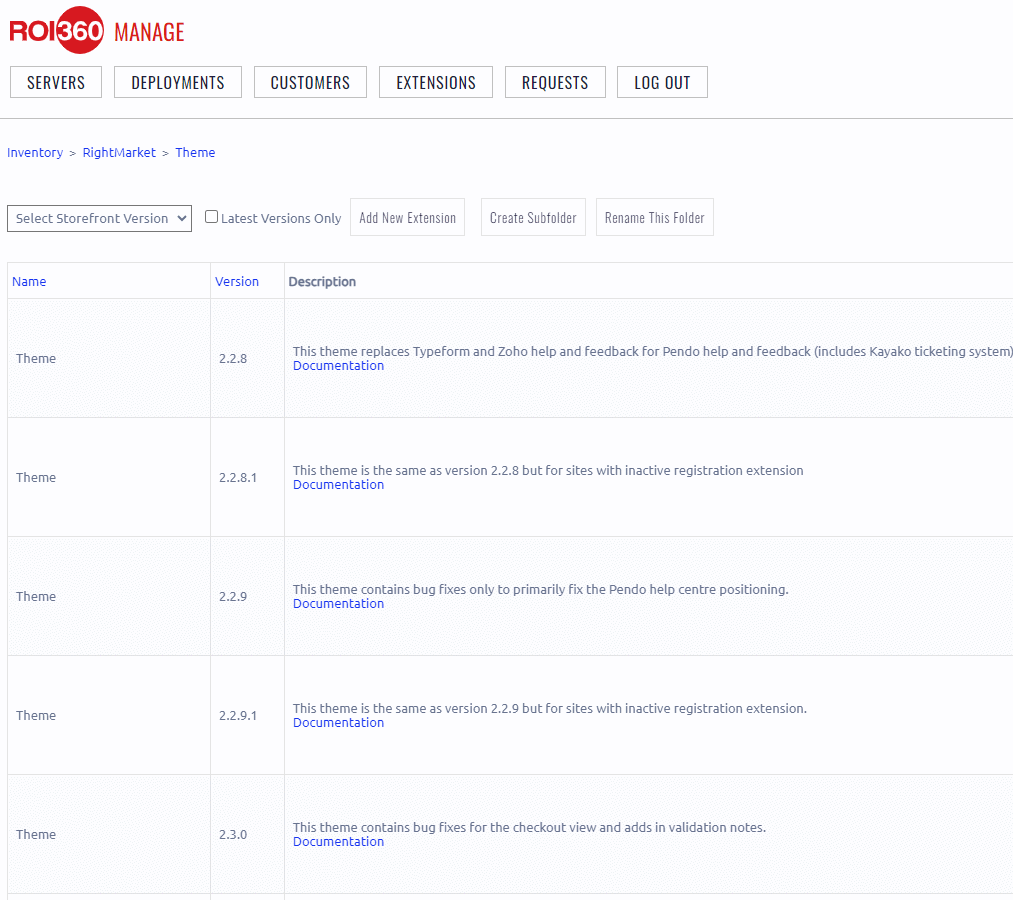
Click “Edit” to create a new entry.

Fill out the form with the following details:
| Name | Theme |
| Display Name | Theme |
| Version | [Your theme version. E.g. 2.3.4] |
| Description | [Details of the purpose of the update] |
| State | For Sale |
| Version | [Pageflex versions your theme is compatible with] |
| Installer Zip File | Upload the installer .zip created in step 1. |
| Documentation URL | https://app.gitbook.com/o/sV4GtboaOp78ovcZ3aoe/s/F6WnVZhYCR1QvHGy5oqZ/all-pages/theme |
When the above details have been filled out, click “Save As New Item” .
Updating theme version
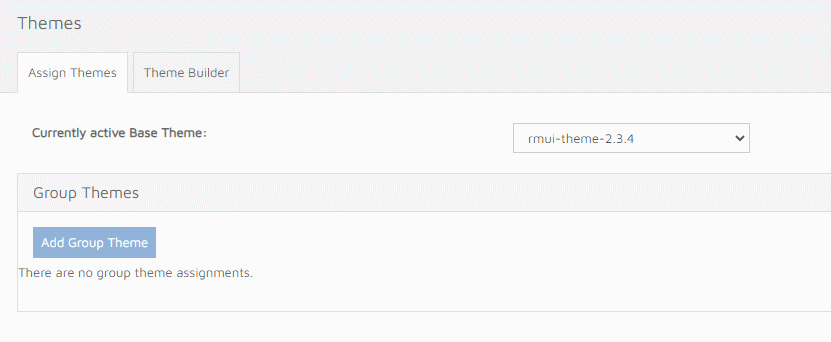
After installing the new version on RightMarket sites, the theme must be applied manually to all sites. To do this, you must login to the admin side of all deployments, navigate to the themes tab and update the version in the dropdown.