 Documentation Summary
Setting Up
Installation
The extension should be installed via the Manage Website interface, using the Extensions > Install/Update function. Alternatively, you can manually deploy the files by copying them into the appropriate site folders while the site is stopped. Once the files are in place, restart the site using IIS.
Files
WebPages/bin/Extensions/TemplateRequests.dll
WebPages/AdminTemplateRequests.aspx
WebPages/ROI360/Template Requests/Interface.ashx
Extension Configuration
The Extension Configuration page looks like this:
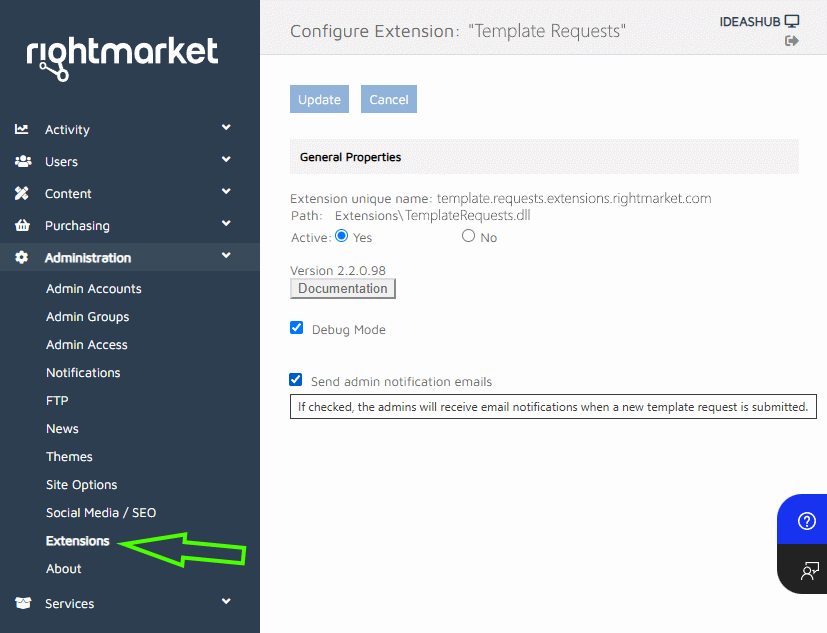
The site administrators can unsubscribe from the notification emails by unchecking the Receive checkbox on their user profile page. By default, all site administrators are subscribed to receive the notifications.
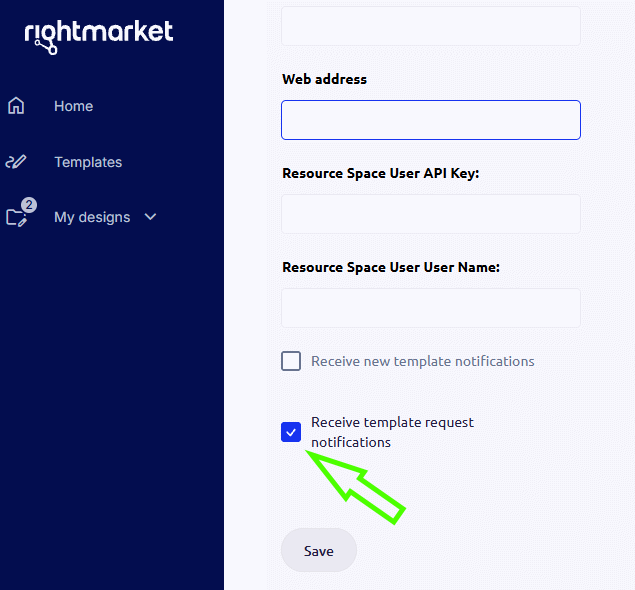
On user-site, the checkbox is only visible to site administrators, and it is not available for other users.
The email address that receives the notifications can be changed in the Email Address field. If the field is left blank, the notifications will not be sent.