 Documentation Summary
Setting Up
Setting Up
Installation
The extension should be installed from Manage.
Files
WebPages\bin\Extensions\DesignSpotlight.dll
WebPages\AdminDesignSpotlight.aspx
WebPages\ROI360\Design Spotlight\Interface.ashx
WebPages\ROI360\Design Spotlight\UserJStart.htm
WebPages\ROI360\Design Spotlight\UserJOrders.htm
WebPages\ROI360\Design Spotlight\UserJDocumentCustomize.htm
WebPages\ROI360\Design Spotlight\bootstrap-3.4.1.min.js
WebPages\ROI360\Design Spotlight\AdminUI.js
Configuration
Once the extension is enabled on its configuration page
Administration > Extensions > Design Spotlight
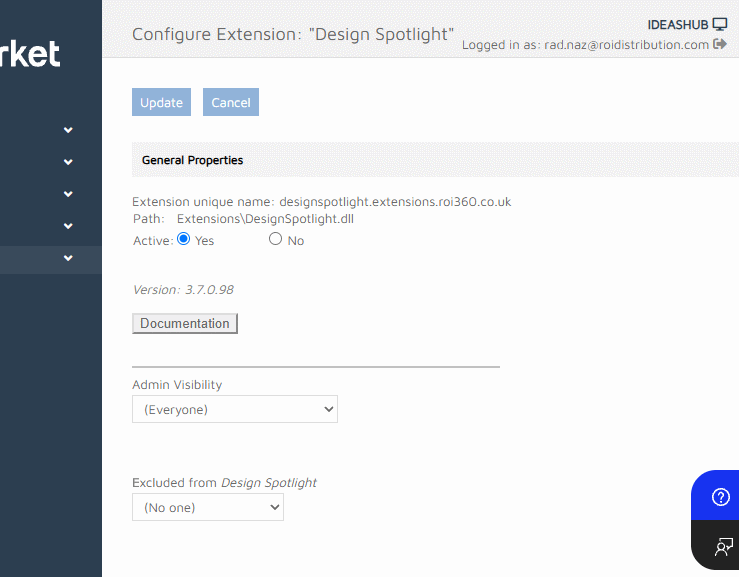
The Admin Visibility setting determines which admins have access to the All Designs tab on the Design Spotlight page. The Design Spotlight page is always visible as long as the feature is enabled.
The User Visibility setting determines which users have access to share designs and view shared designs. This affects the start, edit and history page functionality.
The Prevent product meta field
A new product meta field is created by the extension to allow admin users to prevent template from being shared.
