Documentation Summary
Functionality
User Site
The extension adds a widget called Shared Designs to the bottom of the Start page, below other Storefront widgets:
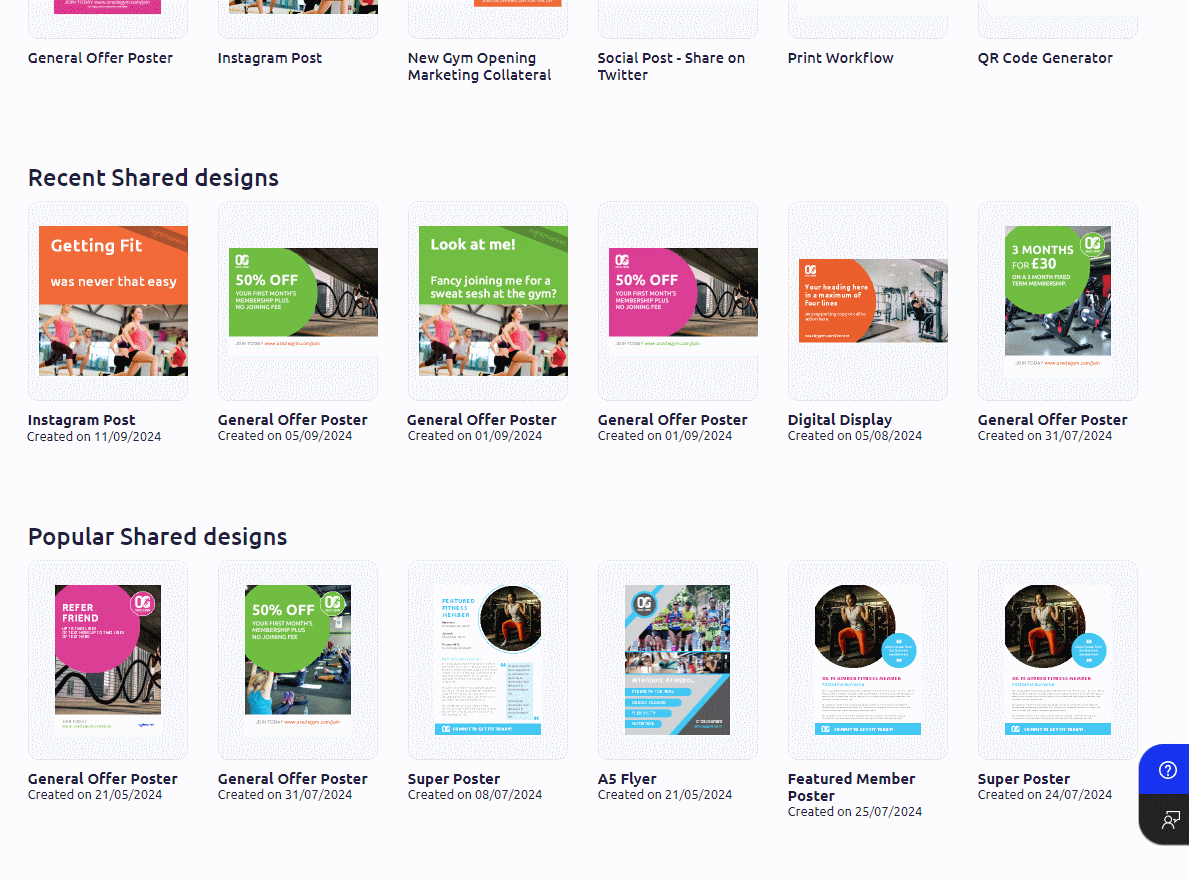
Two lists of thumbnails are shown:
- Recent Shared Designs:
The order of the design thumbnails left to right depends on the design creation-time. - Popular Shared Designs:
The order of the design thumbnails left to right depends on how many times a new design was started based on the template and how many times the template was viewed.
There are only the most recent designs shown in each list. Only items from the last 3 months are listed. Designs the current user doesn’t have access to are also hidden.
The detail box on the History page:
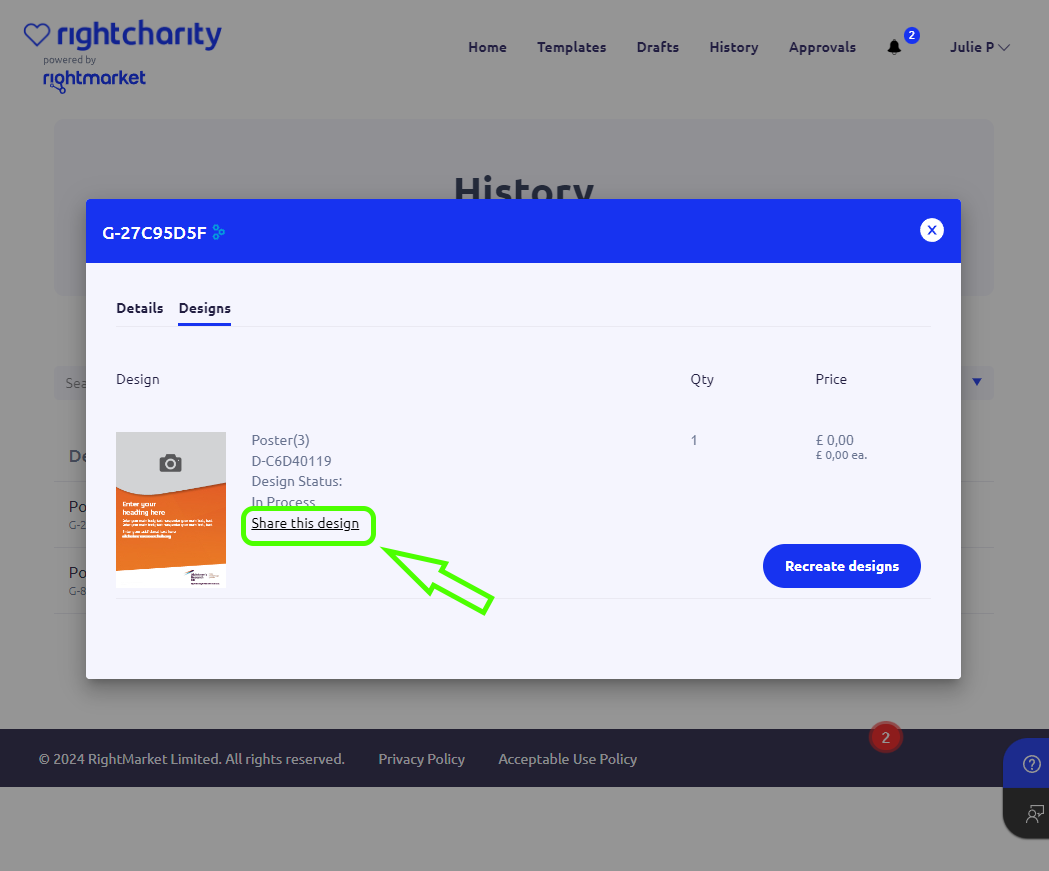
The History page displays an overview of all ordered or downloaded designs. The detail box contains a share/unshare link depending on the shared status of the design. The current user can click and share their design with other users. The link is then switched to unshare so the user can change their mind. Shared Designs based on Staged Templates can only be unshared.
The download box on the Customise page:
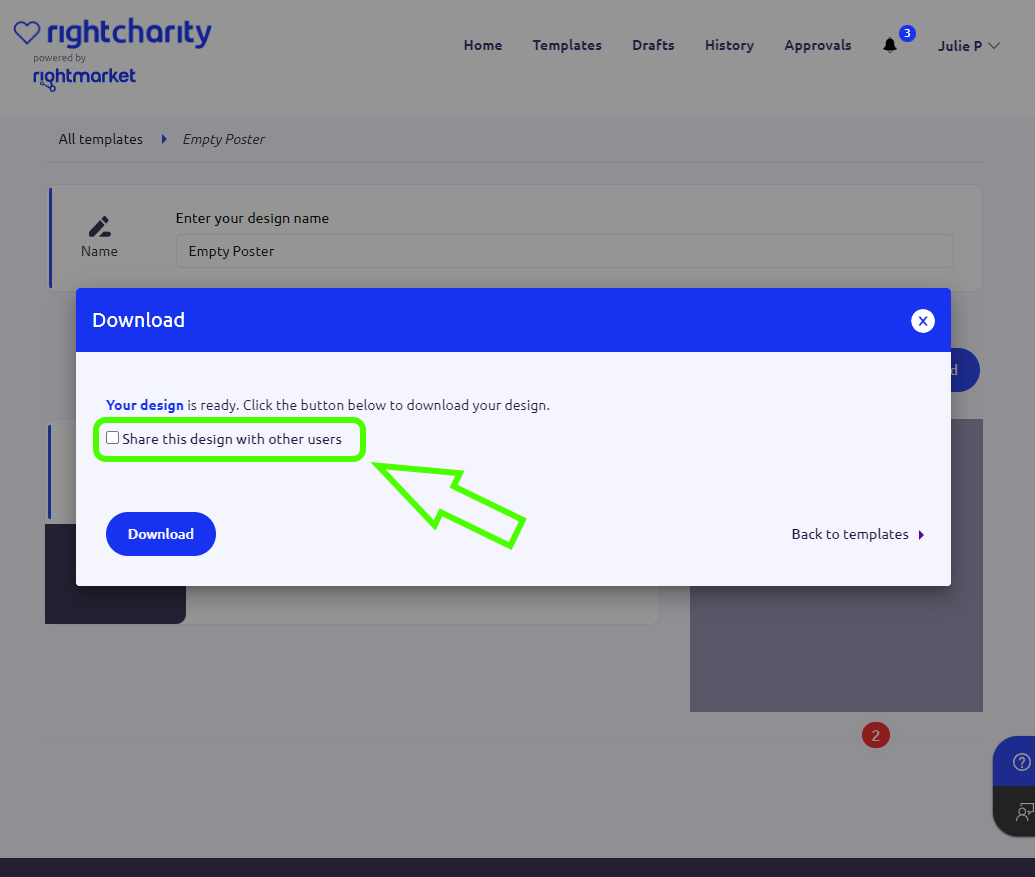
If the finished design is delivered to the user by the instant download method then a checkbox is added in the Download box. Unlike on the History page, the user can only share the design by ticking the box before they click the Download button. After that, if the user have changed their mind, they need to look the design up on the History page and unshare it from there. Attempts to share Designs based on staged Templates are blocked. In such a case the Download box checkbox is disabled, the History page contains a strike-through text, not an active link. In both cases, when moving the mouse cursor over the text, the browser shows a hint telling about the staged templates.
Clicking the thumbnail on the Start page brings up a detail box.
The numbers showing how many times the design was used and viewed
are in the bottom-right corner.
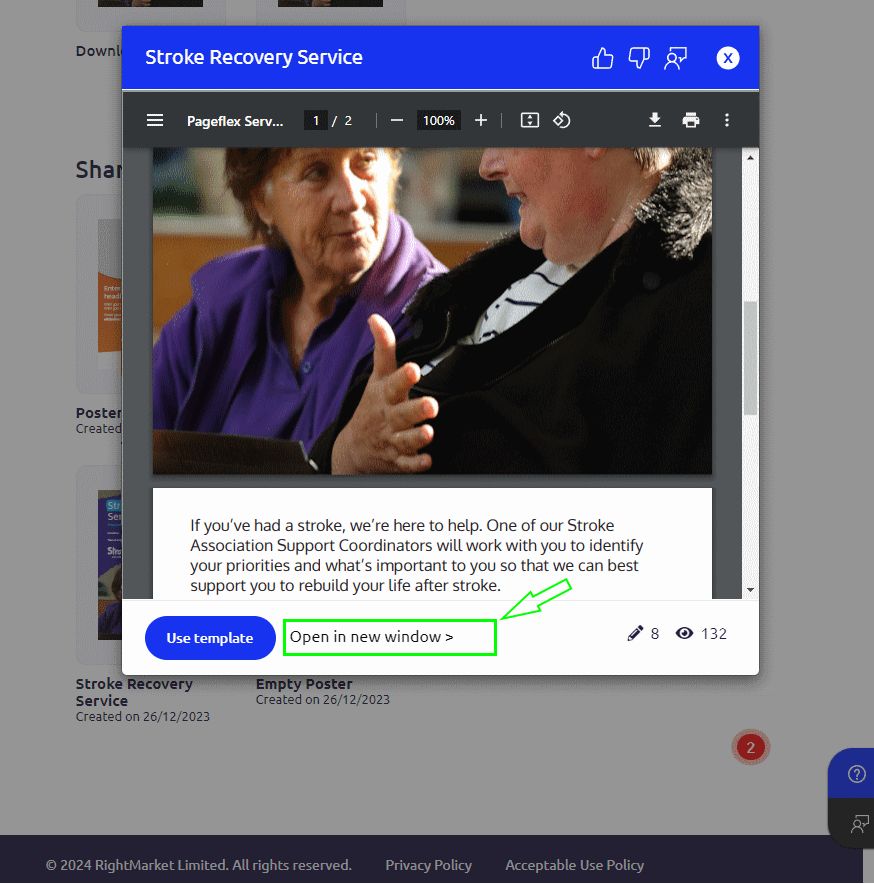
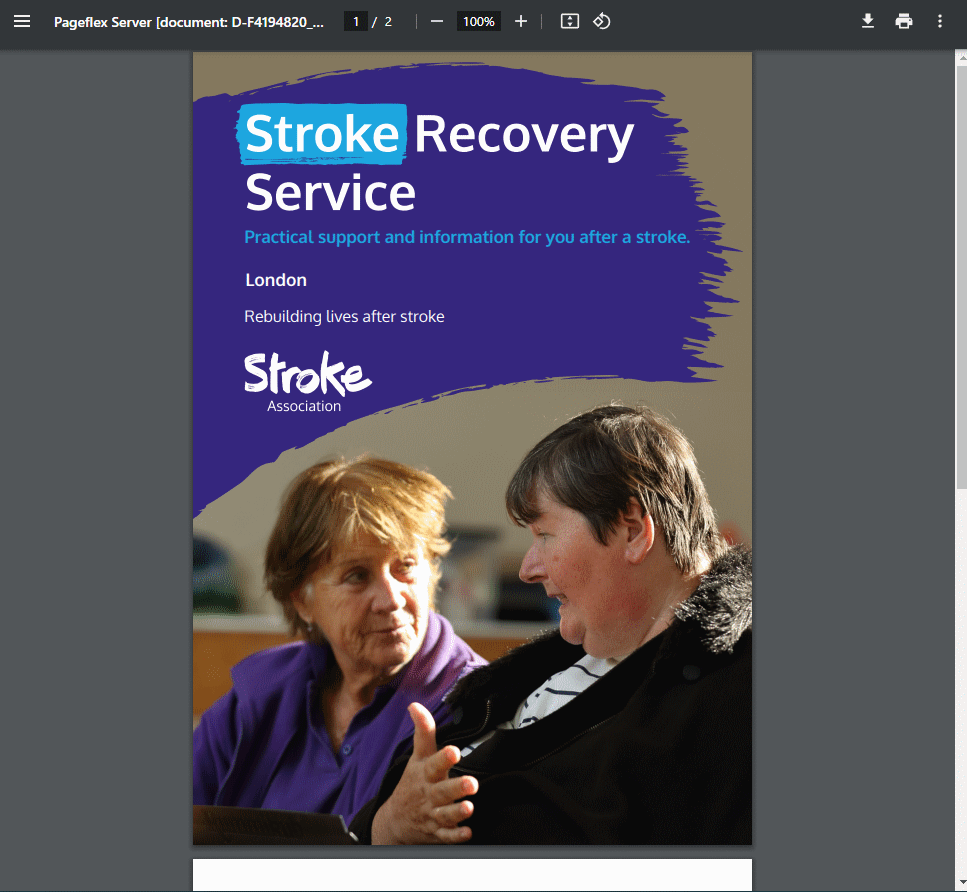
Clicking the Open in new window link shows the design in its own browser window so the user who’s interested in the design can observe it in the tiny detail before they decide to use it as a template and create their own similar design.
Admin Site
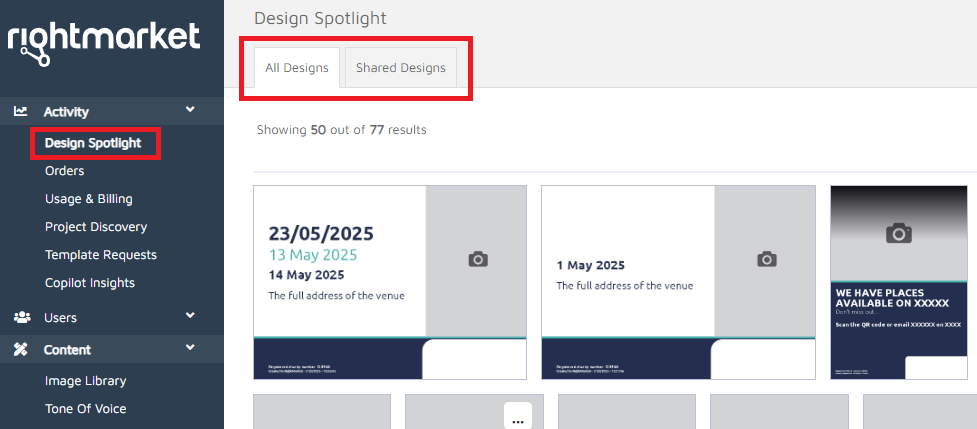
The extension adds the Design Spotlight menu item to the left-hand main menu. Selecting the link displays the overview split to two sections All Designs and Shared Designs. The filtering controls on the right hand side allow the user to filter for specific dates. In both sections the Load more functionality can be used to show additional items.
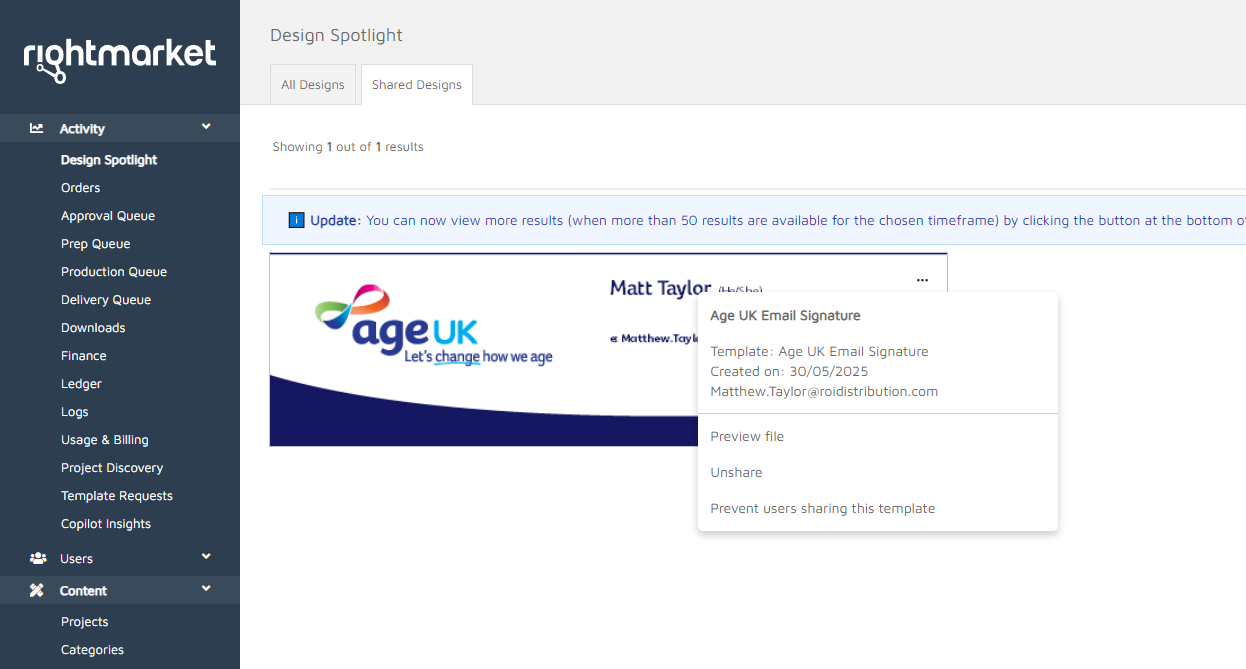
When the admin clicks on a thumbnail a context menu is displayed with details of the document. For All Designs it also allows to preview the file similarly as on the user site. The View details option redirects to the details page of the ordered item.
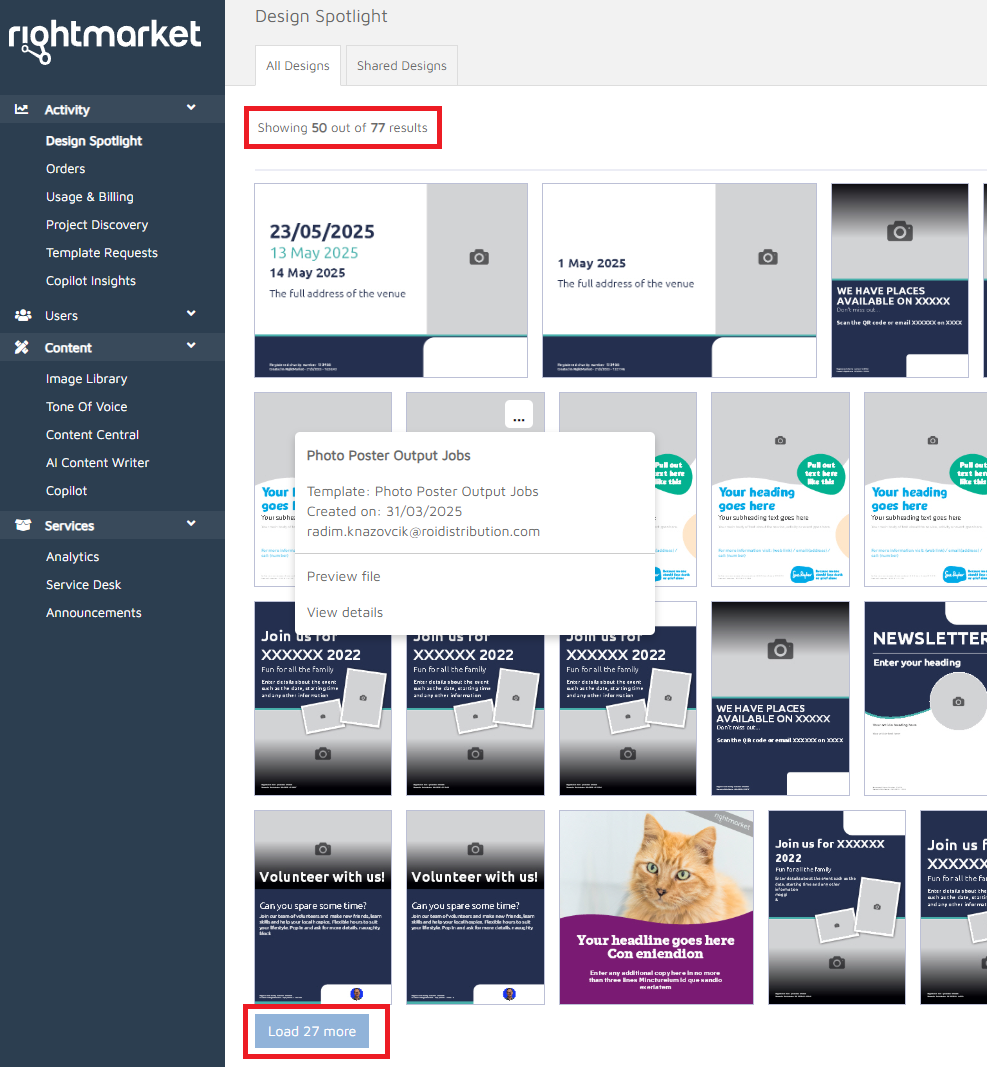
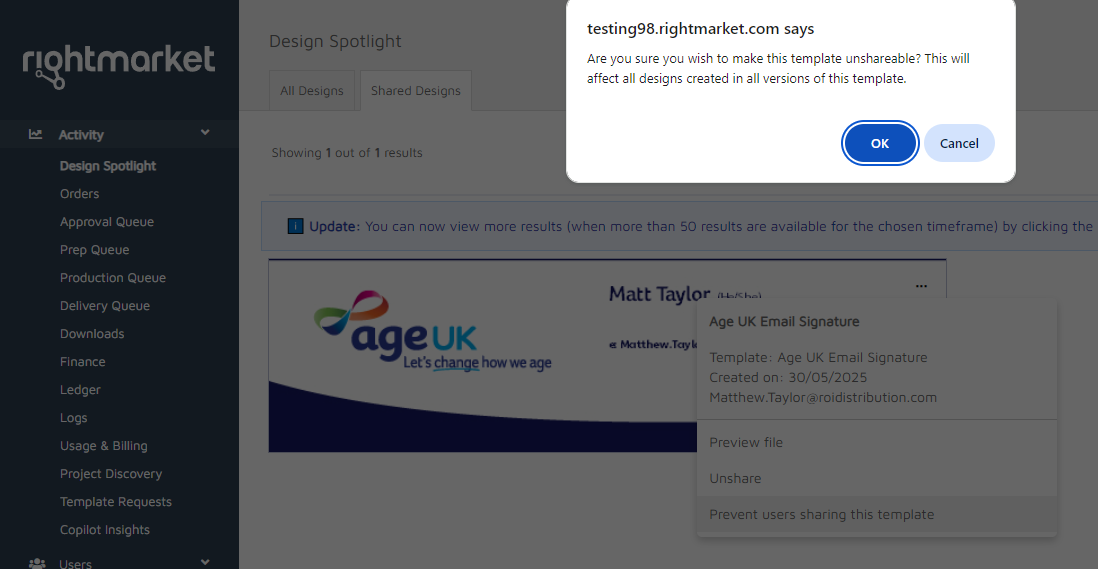
For Shared Designs it also allows to preview the file. The Unshare option unshares the item and the item is removed from the view. By default, the Shared Designs shows the last year of results, compared to the last month in All Designs. The last menu option allows admins to prevent sharing this template. It uses the product meta field described on the Setting Up page and affects all versions of the template.