Documentation Summary
Setting Up
Installation
Files
WebPages\bin\Extensions\ZiflowIntegrationExtension.dll
WebPages\Custom\ZiflowIntegration\ZiflowIntegrationResource.resx
WebPages\web.config is automatically configured for allowing REST callbacks from Ziflow.
The extension requires version 10.0.1.20720 of the Newtonsoft.Json library.
Configuration
The configuration of the extension involves the following areas:
Extension Configuration
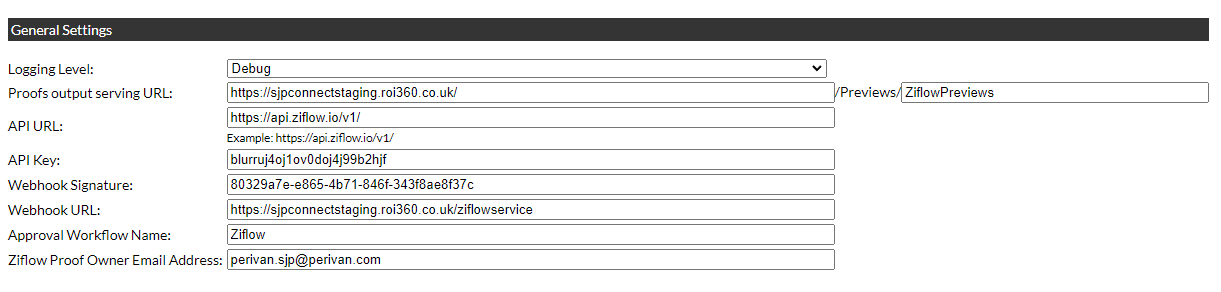
- Logging Level: Determines the extent of data logged by the extension.
- Proofs output serving URL: The URL of the deployment’s Ziflow preview folder.
- API URL: The root URL of the Ziflow API (currently ‘https://api.ziflow.io/v1/’).
- API Key: A valid User API Key for the Ziflow API. See #ziflow-workflow-configuration for details.
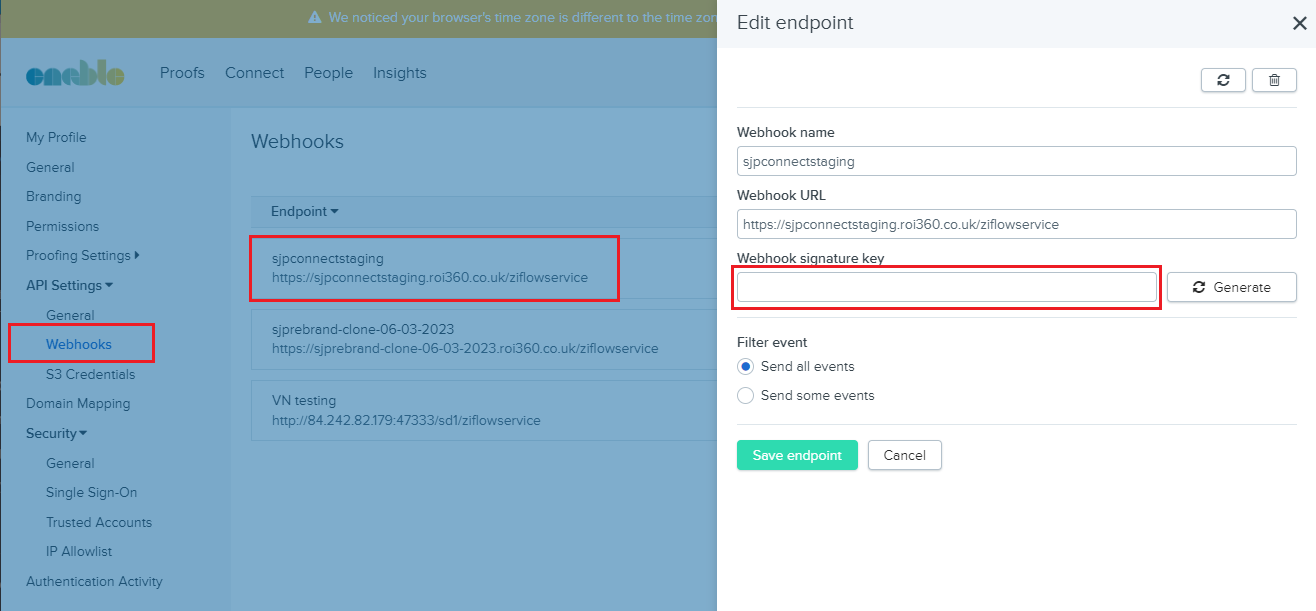
- Webhook Signature: Webhook callback definition and signature generated in the Ziflow portal. See #ziflow-webhook-configuration for details.
- Approval Workflow Name - See #product-configuration for details.
-
Ziflow Proof Owner Email Address - all proofs posted to Ziflow need to have an existing Ziflow account as an owner.
User Configuration
Create a dedicated “Ziflow Integration” user account.
Approval Workflow Configuration
Create a Storefront approval workflow using the “Ziflow Integration” user account as the sole reviewer. Ensure that no other reviewers are assigned to this workflow.
Product Configuration
Two product metadata fields are automatically created during extension setup:
- “Ziflow comments”: Adds information for the Ziflow reviewer to the proof, such as which pages contain variable information.
- “Ziflow template”: Allows proofs to be approved by different Ziflow workflows. Each Storefront product can be approved by different Ziflow workflow.
The workflows in Ziflow are listed under User profile/Settings page. Navigate to the Proofing Settings/Workflow Templates for list of available templates.
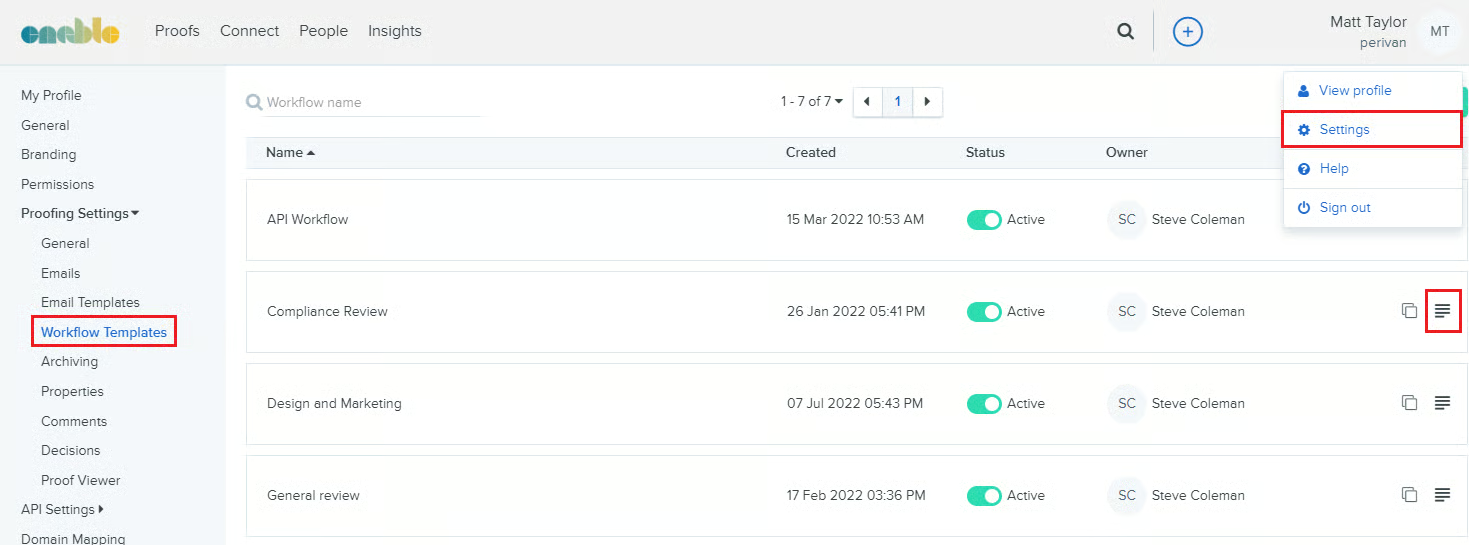
The Template detail icon is used for navigating to the Edit template page.
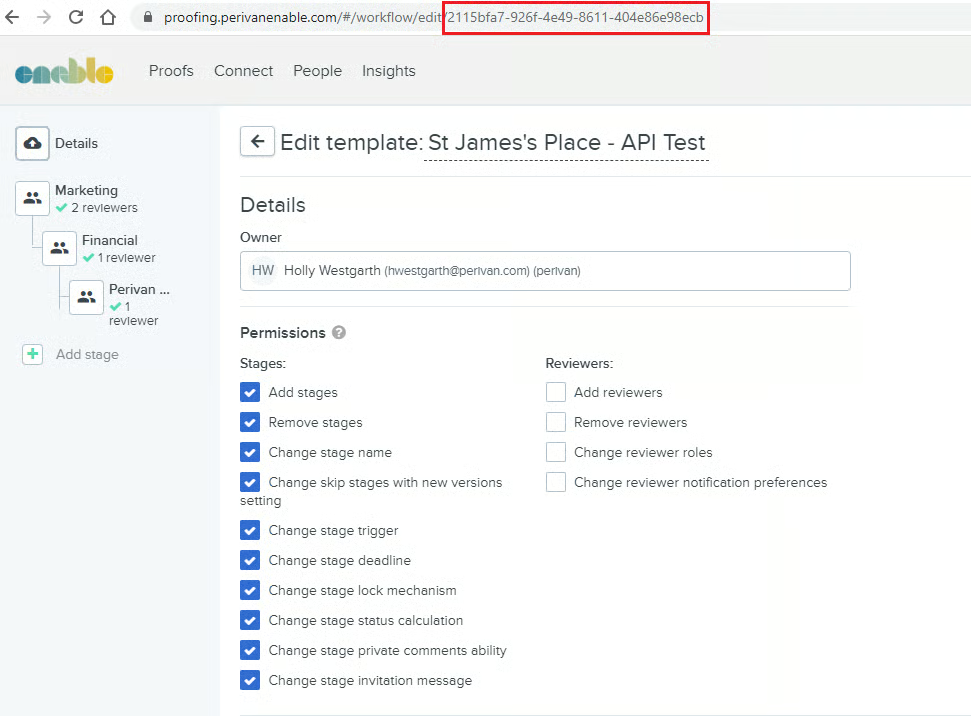
The Template GUID is then used as the “Ziflow template” Storefront metadata field for Ziflow products.
Ziflow Workflow Configuration
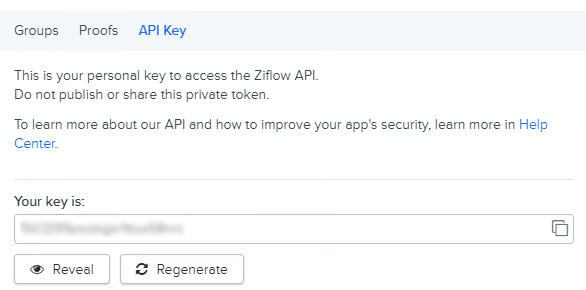
Create a user account with an API key. Navigate to the View profile popup with API key tab at the bottom of the panel.
Ziflow Webhook Configuration
Create a webhook entry with a valid Storefront URL callback and signature. The signature is then set on Deployment setup extension page.
Only “Decisions” events are needed for the purpose of “Filter events”