 Documentation Summary
Setting Up
This extension will produce an xml file for each document in the basket when the order is placed. The format is as follows:
<OptionValues Count=”1”>
<OptionValue>
<Name>name</Name>
<ActualValue>value</ActualValue>
</OptionValue>
</OptionValues>
Configuration
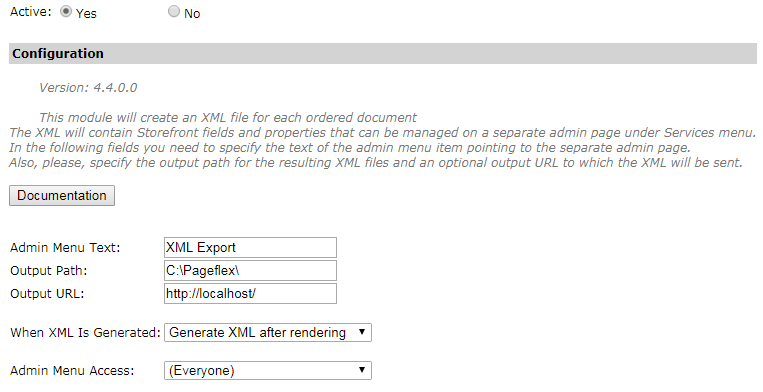
To set up the extension, go to ‘Administration > Extensions’ on the Storefront Administrator website.
In the configuration, the text that will appear in the left admin menu can be set in the ‘Admin Menu Text’ field. There is also the ‘Admin Menu Access’ drop down that can be used to limit access to the custom management admin page to only a specific admin group. By default every admin user has access to the page. The ‘Output Path’ field is the folder where all order XML files will be saved to. The XML files will be named the same as the document ID. The ‘Output URL’ specifies a remote URL for the XML file to be posted to for use with MIS systems etc. The ‘When XML Is Generated’ drop down contains two options. The default option ‘Generate XML before rendering’ means that the XML is generated before the ordered items are rendered but after all pending approvals are finished (approved or rejected). ‘Generate XML after rendering’ means that the XML is generated after the actual rendering process is finished. This setting affects some properties like the ‘FinalOutputLocation’ document property which may not be known before rendering.
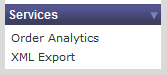
After the extension has been activated, a new tab will appear on the left menu with the name entered in the extension setup.
Installation Files
The following files must be installed in these Storefront directories:
/WebPages/_OrderXmlBody.ascx
/WebPages/AdminOrderXml.aspx
/WebPages/AdminOrderXml_v8.aspx
/WebPages/bin/OrderXmlWebPages.dll
/WebPages/bin/Extensions/OrderXmlExtension.dll