 Documentation Summary
Setting Up
Extension Configuration
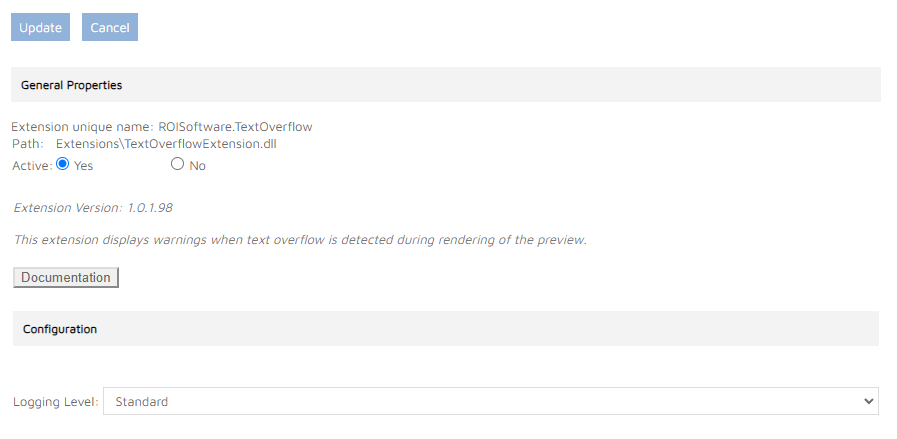
In the admin-site Administration > Extensions area, it is possible to adjust the the logging level:
Template Configuration
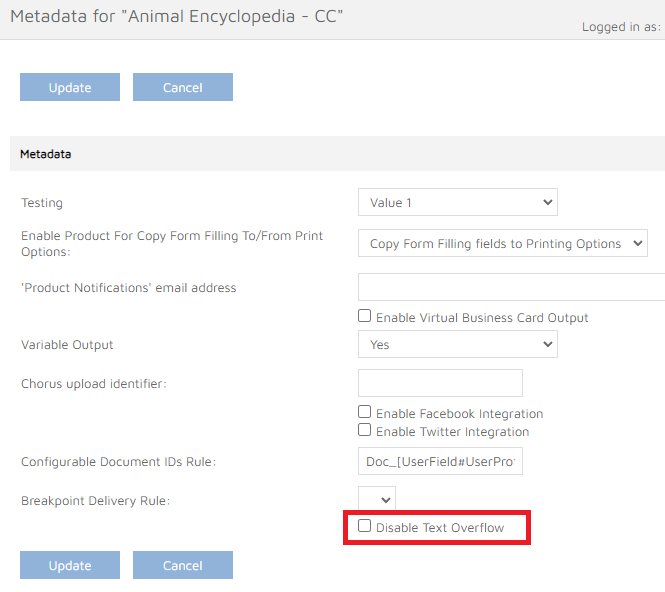
Text Overflow is configured in the admin area. When this Extension is turned on, each Template’s Metadata Fields area contains a new field Disable Text Overflow. By default this option is not selected and each Template is configured to use the Text Overflow functionality. If you want to exclude a Template from this process, just select the field and update the Template.
The Message Text
There’s the file
WebPages/ROI360/Text Overflow/Resource.resx
installed on every site. It contains the message text that is shown when the Text Overflow functionality is active.