 Documentation Summary
Troubleshooting
Compatibility
Not applicable.
Limitations
Not applicable.
Known Issues
Not applicable.
Logging
If the value of the Form-Filling Field _PagesToPrint entered by the user during the Design’s Customise step can’t be interpreted as a page number (the field’s control type may be configured as a simple text-box) then the Document Action code leaves a message in the rendering log and also in the final output folder, in the log file.
Debugging
In case the assembly was added to a live Template and the document processing fails, please make sure the .pf file in the Template Project folder contains the job_doc_action node with the correct filename, class and method:
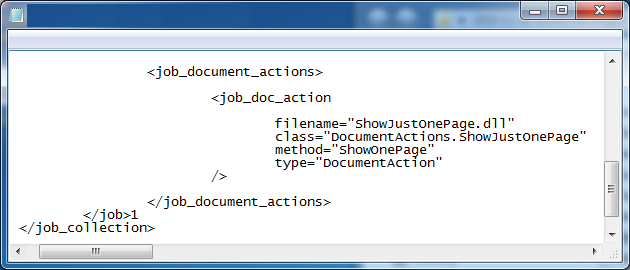
Checking the .pf file
Extension
The main function of the Extension is injecting its own JavaScript into the source-code of the user-site Customise step page. In order to check if it works, please log in to the user-site, start customising a new Design which has its Form-Filling step present. While on the page, right-click in the inside of the browser window and select the context-menu option Display the page source. In the source-code window, press Ctrl+F to display the search-dialogue and start typing
showJustOnePageExtEventHandler()
If you manage to find the JavaScript function in the source-code of the page then the Extension is working fine. However, there still may be a bug in the JavaScript itself but the first step is to make sure that the backend server has correctly injected the JavaScript in source of the client browser page.