 Documentation Summary
Setting Up
Installation
The Document Actions assembly DLL is added by the Studio designer to a Template Project folder:
Example: A4_Booklet\Document Actions\ShowJustOnePage.dll
The Studio designer can then configure a Job to call the method
ShowOnePage()
Files
Templates configured to have a hierarchy of Form-Filling Fields grouped into accordion-tabs can take advantage of the Extension which makes the user experience more intuitive when they customise their Designs. The Extension consists of one single file which needs to be present on the site:
- WebPages/bin/Extensions/ShowJustOnePageExtension.dll
Extension Configuration
The Extension is optional, it doesn’t need to be installed and enabled on the site.
Template Configuration
If the Extension is present on the site, Templates which should take advantage of it should be configured like this:
A Form-Filling Field called _PagesToPrint holding the page-to-be-rendered number needs to be created as single-line field hidden to users. This is the field the Document Action code is looking for before each rendering (including the previews). The default value of the Field is the default number of the page to be rendered when the Form-Filling step first loads:
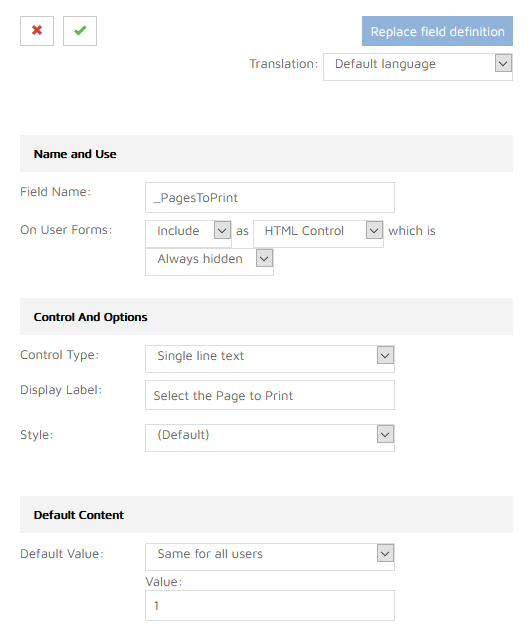
Template configuration - define the _PagesToPrint field
A main Accordion (or tab) Group needs to be created with Group Parts, that would become sub-accordions of the main Accordion with each panel presenting one printing page with its fields:
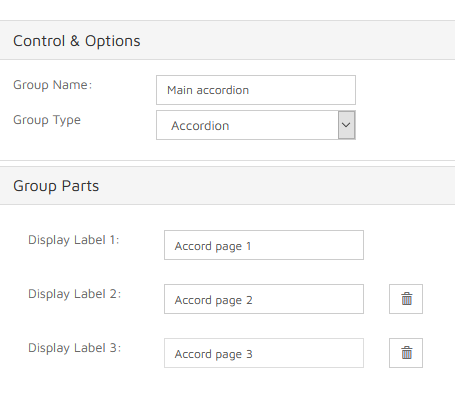
Accordion tabs
For each sub-accordion of the main Accordion, a hidden single-line field needs to be created. Its name must start with the _pagestoprint_ prefix, followed by a page number (please use the lower-case letters as shown):
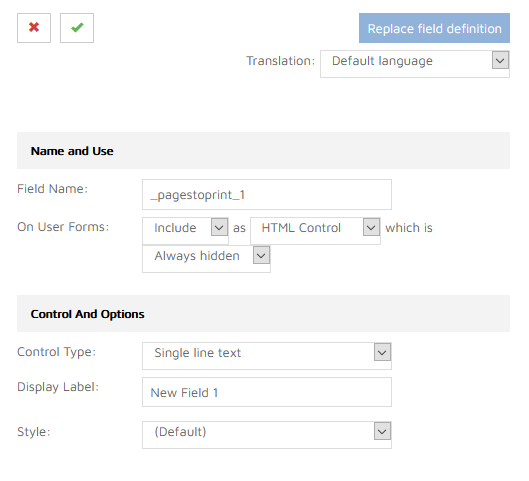
Each sub-accordion tab has its own _pagestoprint_X field
Below is an example of the full configuration of the Form-Filling step, with the main Accordion and its nested Accordions with all of the _pagestoprint_X hidden fields:
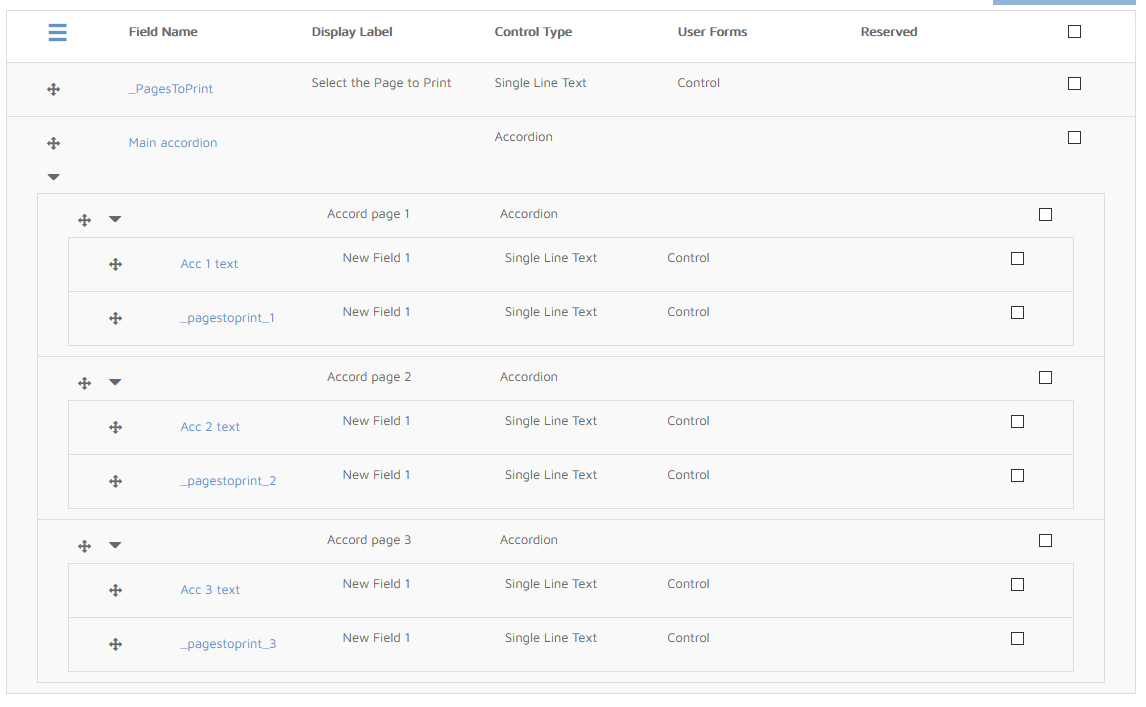
The hierarchy of fields
When the user is customising their Design on the Form-Filling step page, the Extension checks for opened tabs and sets the main _PagesToPrint value based on the _pagestoprint_X field of the currently opened tab. It extracts the X index from the name of the field and feeds it to the value of the main field.
Studio Project Configuration
Templates which can be created and configured on the admin-site are based on Template Projects. By using the Studio, a designer can configure the Project to contain one or more Jobs. Each Job can be configured to perform one or more Document Actions.
In order to make the rendering server call the ShowOnePage() method, the Job needs to be configured like this:
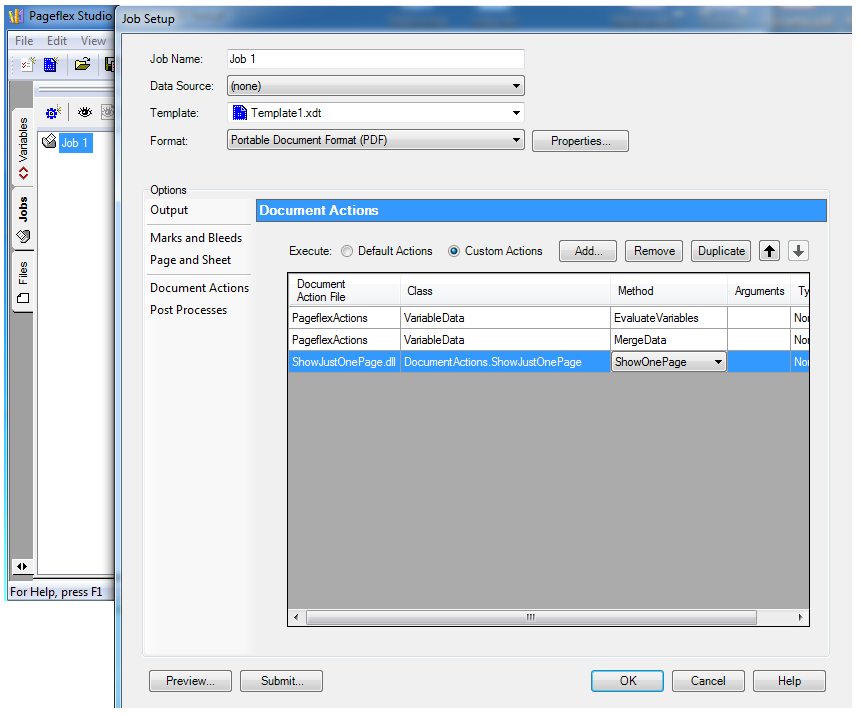
A Job configured to call the ShowOnePage() method
Before the artwork server renders the final document, it calls the Document Action method ShowOnePage(). The method removes all pages from the Design and keeps only the first one. If the Template contains the Customise step which in turn contains the Form-Filling Field called _PagesToPrint then the method reads its value, e. g. “2”, “3”, “4”, and leaves just that page. All other pages are removed from the Design.