Documentation Summary
User Site
Save Draft On The User Site
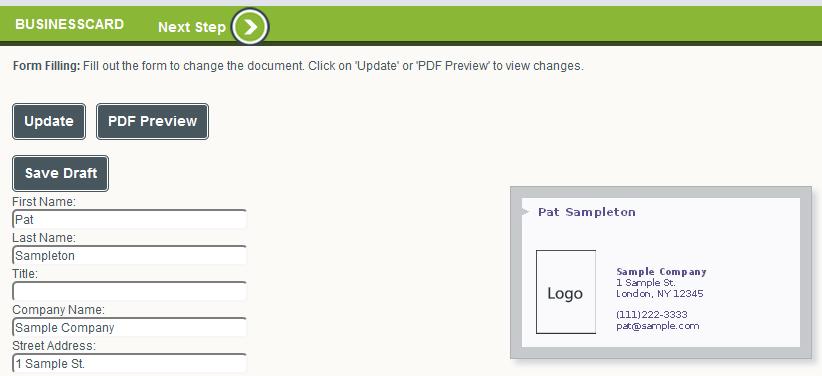
Once the Save Draft extension has been configured and activated, on the user site within the Form Filling step the main visual change is the new button ‘Save Draft’ that is displayed above and under the form filling fields. This button is only displayed if this has been configured on the main extension configuration page in Storefront Administrator. The default texts displayed on the button ‘Save Draft’ and the tool tip that appears when moving the cursor over the button can be changed in the file that is stored in ‘WebPages\Custom\SaveDraft\SaveDraft.resx’. This allows administrators to translate them to the preferred target language. Multiple languages can be used by adding a new file to the same location with the language ISO identification added to the name of the file, for example ‘WebPages\Custom\SaveDraft\SaveDraft.de-DE.resx’ could be the German langauge version.
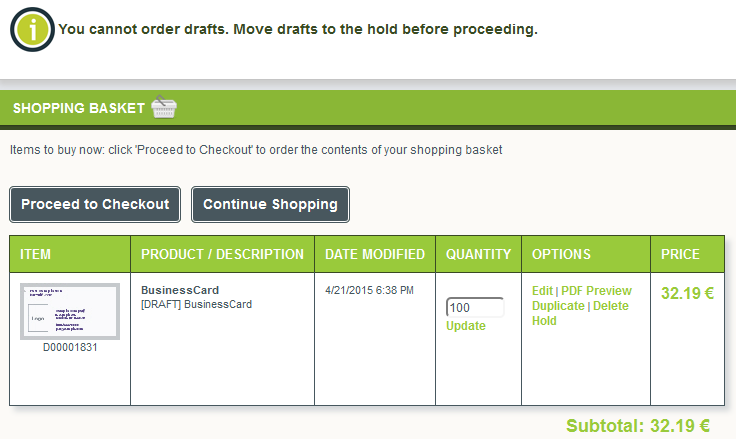
On the Shopping Basket page when proceeding to the Checkout step, the extension checks if any Drafts are present in the basket. The following screenshot illustrates the warning message that is displayed when a Draft is found in the basket. The default text of the message can be changed again in the file ‘WebPages\Custom\SaveDraft\SaveDraft.resx’ or in its multi-language alternatives (see ‘Save Draft’ button above).