 Documentation Summary
Setting Up
This extension will take storefront properties to be passed to a template variable. For example the order ID and Item ID could be placed on the final artwork or used as part of a post process.
Configuration
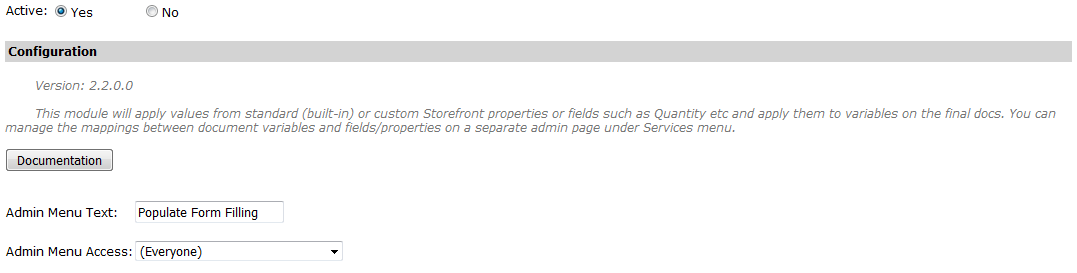
To set up the extension, go to ‘Administration > Extensions’ on the Storefront Administrator website.
In the configuration, the text that will appear in the left admin menu can be set in the ‘Admin Menu Text’ field. There is also the ‘Admin Menu Access’ drop down that can be used to limit access to the custom management admin page to only a specific admin group. By default every admin user has access to the page.
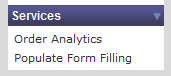
After the extension has been activated, a new tab will appear on the left menu with the name entered in the extension setup.
Installation Files
The following files must be installed in these Storefront directories:
/WebPages/_PopulateVarsBody.ascx
/WebPages/AdminPopulateVars.aspx
/WebPages/AdminPopulateVars_v8.aspx
/WebPages/bin/PopulateVarsWebPages.dll
/WebPages/bin/Extensions/PopulateVarsExtension.dll