 Documentation Summary
Managing Variables
Click on the menu item as specified in the ‘Admin Menu Text’ configuration field to administer the variables. The Populate Form Filling administration page enables the administrator to add, edit and delete records/variables.
Adding New Variables
When the admin page is displayed for the first time, it only contains the “Add Record” button.
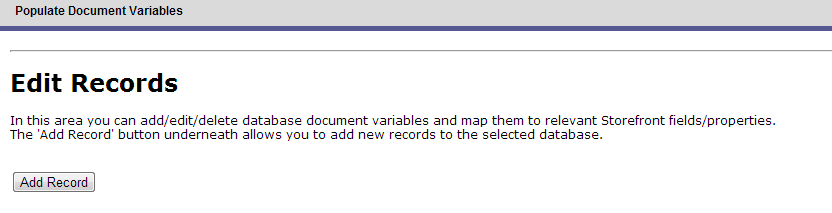
After clicking the button, the following editing screen is presented:

Document Variable Column - enter the name of the studio variable in the product that the storefront property will be passed to.
Storefront Field/Property Column - define the type of property or the field in storefront that will be passed to the template.
Standard Property
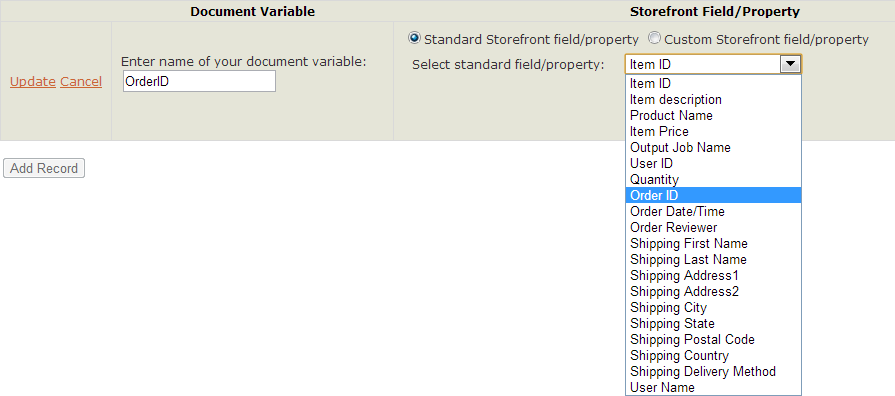
A “Standard Field/Property” is anything that is prebuilt into the deployment, such as the “OrderID”. To pull through a standard property these steps should be followed:
Enter the name of the studio variable in the product that the the storefront property will be passed to.Select Standard Storefront Field/Property from the two radio button options, this will present a list of the available fields and properties to select from.Select the storefront property from the dropdown.Click Update.
Custom Property
A custom property is any field that has been added into storefront, such as a printing option. To pull through a custom Property follow these steps:
Enter the name of the studio variable in the product that the storefront property will be passed to.Select Storefront Field/Property from the two radio button options, this will present a text field and a dropdown of field types.Enter the name of the field in storefront that the value will be passed from, in the example below the storefront variable is called ChooseLamination.Then in the type dropdown select the type of field the storefront field is. In our example this is a Printing Option field.Click Update

The below table explains what each of the types mean. The Pageflex Programming Reference Guide has a full list of Order Property and document Property fields.
| DocumentProperty | Pageflex Programming Reference Guide has a full list of these fields, they are fields such as the description entered by the user on the finishing step of a product. |
| PrintingField | The value of that printing option field. |
| OrderProperty | Pageflex Programming Reference Guide has a full list of these fields, these are fields such as the ApprovalWorkflowName. |
| OrderField | The value of that shipping or payment option field. |
| ProductField | Value of a metadata field. |
| VariableValue | The value of that field from the Form Filling step. |
Edit and Delete Variables
Edit or Delete an entry by going to the tab in the menu, this will display a list of all the Variables Linked in a table, on the left of each row there are two buttons, Edit will display the Editing Screen, delete will remove the row from the table. Refresh the screen to update.
