 Documentation Summary
Setting Up
Installation
Source code can be found in GitHub.
The application requires .NET 4.8 and must be accessible via IIS.
The installation must include the following files:
| Location | File | Purpose |
|---|---|---|
| \Web\ | Web.config | Allows app configuration |
| \Web\ | PendoWebhookHandler.ashx | Receives Pendo webhooks |
| \Web\bin\ | PendoWebhookHandler.dll | Logic to store and email webhooks |
| \Web\bin\ | Newtonsoft.Json.dll | Require to read JSON |
| \Data\ | Log.txt | App logging |
| \Data\Responses\ | N/A | Folder to store webhook payloads |
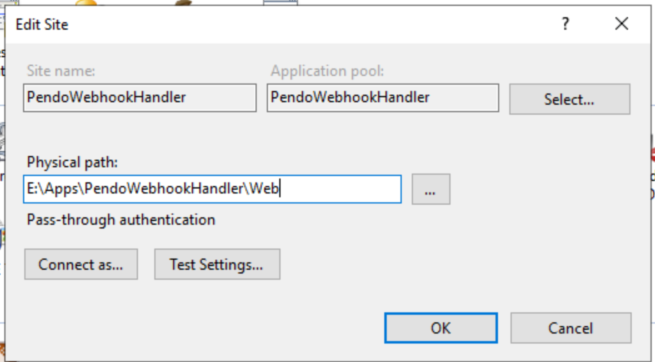
Recommended installation directory: "E:\Apps\PendoWebhookHandler\".
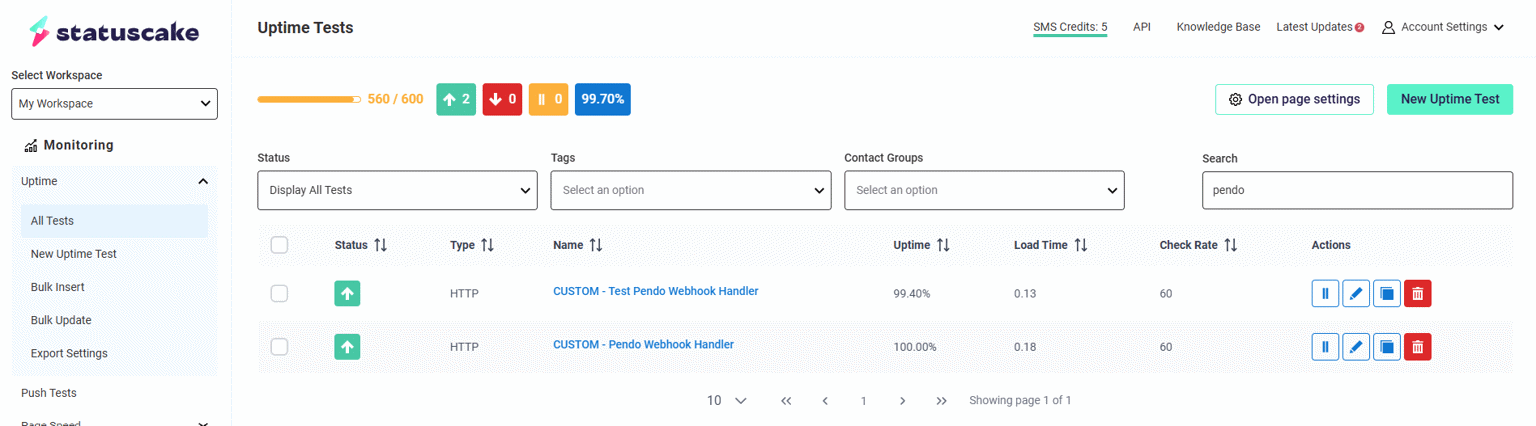
We also suggest setting up a web monitoring service, such as StatusCake, to ensure the handler remains available at all times.
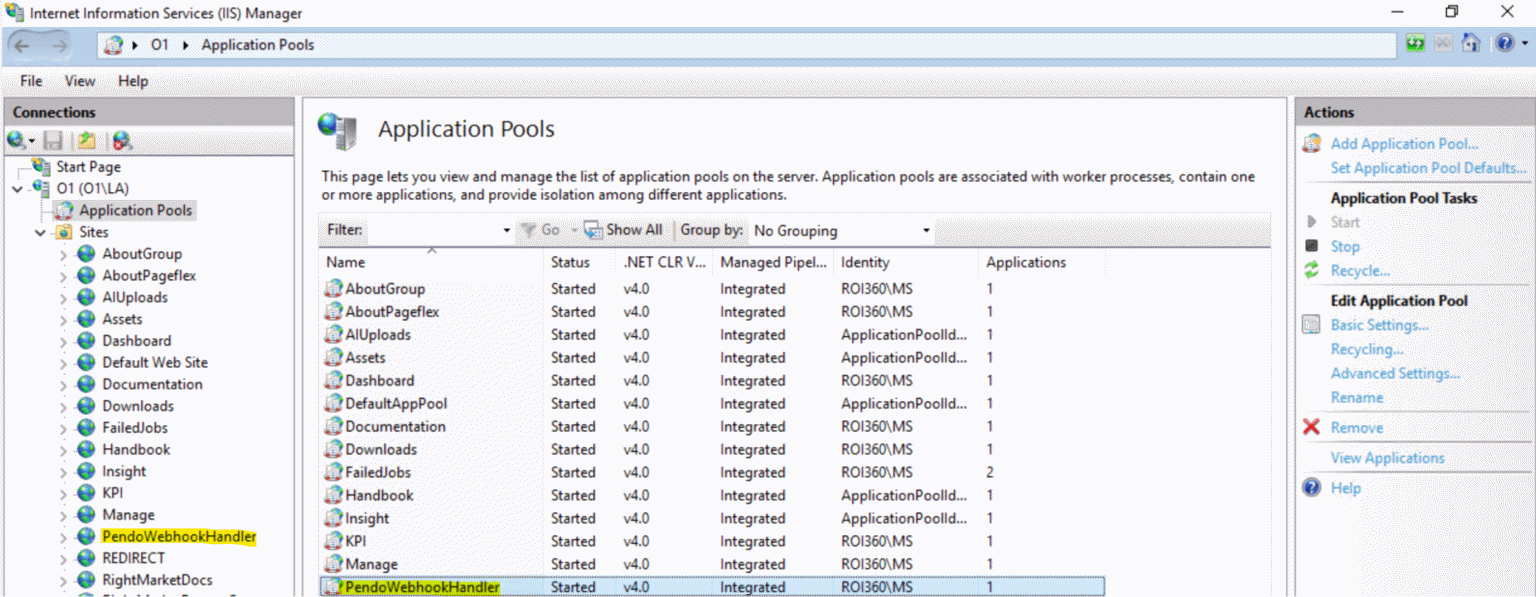
Ensure the IIS physical path points to the /Web/ folder, as shown in the screenshots below.
Test Site
https://testpendowebhookhandler.rightmarket.com/PendoWebhookHandler.ashx
Production Site
https://pendowebhookhandler.rightmarket.com/PendoWebhookHandler.ashx
Pendo Installation
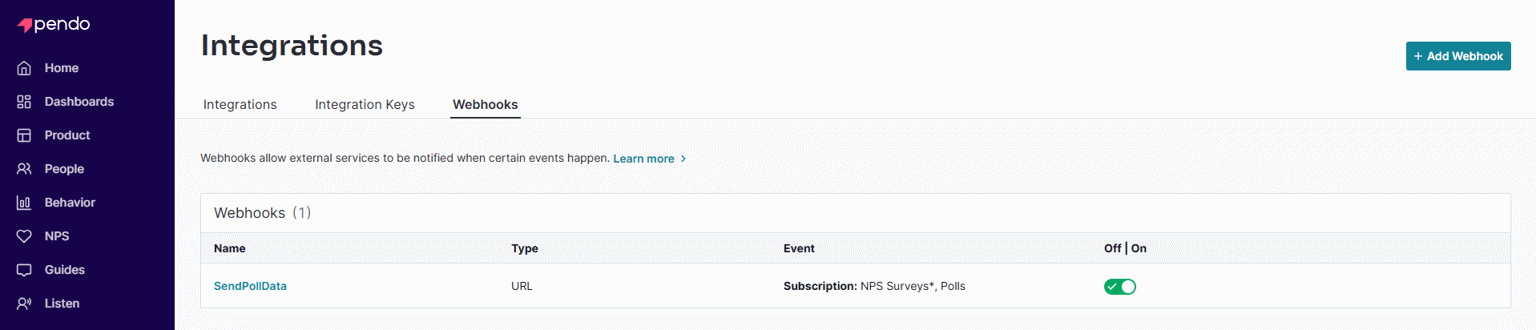
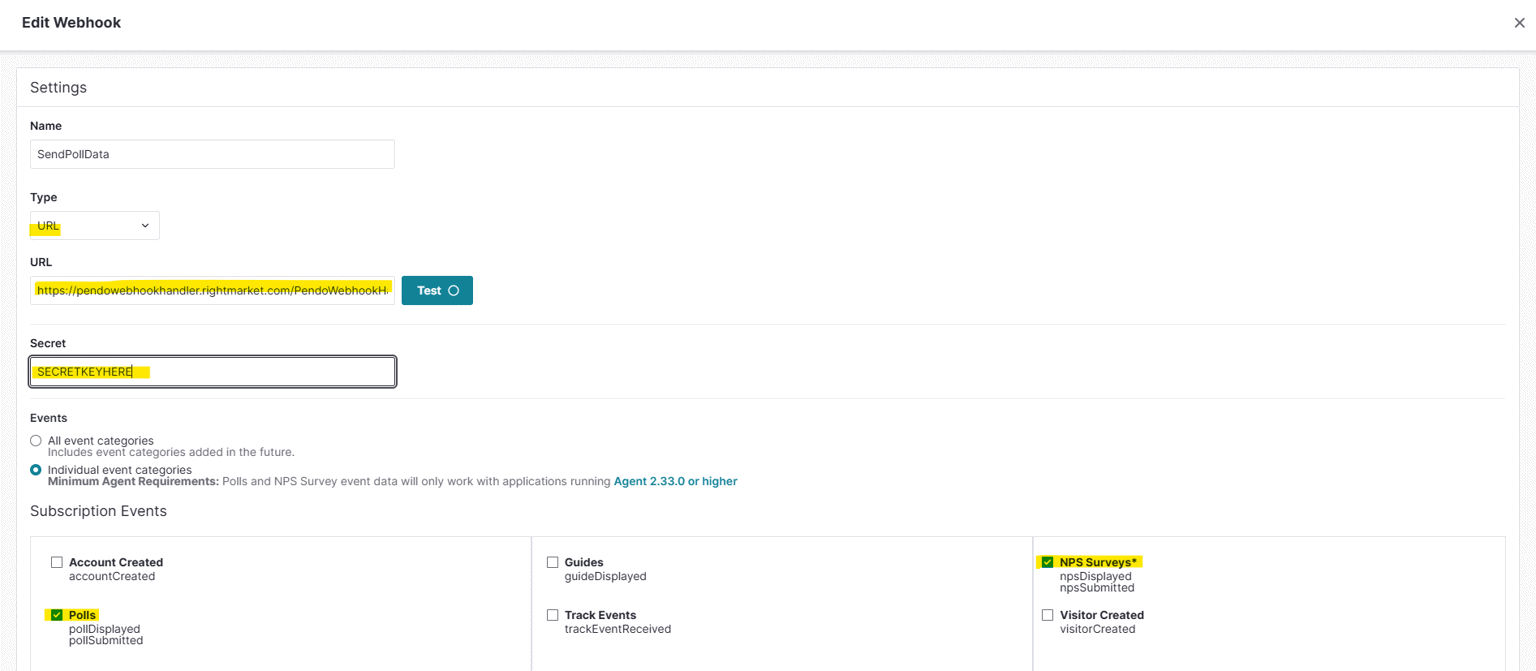
A Pendo webhook must be setup in order for this functionality to work:
Configuration
The application can be configured by modifying the \Web\Web.config file.
| Configuration | Description | Default/Example Value |
|---|---|---|
| EmailRecipients | Comma-separated list of email addresses to which notification emails are sent when a relevant Pendo event occurs (like pollSubmitted or npsSubmitted). If left empty, no email notifications will be sent. |
"" (Empty by default, optional) |
| SmtpServer | IP address or hostname of the SMTP server used to send email notifications. Update this to match the email server configuration for your environment. | “127.0.0.1” |
| SmtpSender | Email address from which the notification emails will appear to be sent. Useful for setting the “From” address in email notifications. | “noreply@testo1.roi360.co.uk” |
| DebugMode | Enables detailed debug logging if set to true, allowing the handler to log additional information about each request and its process flow. When set to false, only essential information and errors are logged. Useful for troubleshooting in development or production environments. |
“false” |
| EnableSignatureValidation | Determines whether webhook requests will undergo signature validation, using HMAC-SHA256 to verify authenticity of the request from Pendo. Set to false for testing (e.g., with tools like Postman). For security in production, set this to true to ensure request integrity. When testing in Postman, we recommend setting EnableSignatureValidation to false. |
“true” |
| DataPath | Specifies the directory path where the handler stores its data files. Used to store logs, webhook payload files, and custom configuration files. This directory must exist and be writable by the application for logs and data persistence. | “E:\Apps\PendoWebhookHandler\Data” |
| Configuration | Description | Default/Example Value |
|---|---|---|
| secretKey | The content of the file E:\Connections\Pendo\Webhook Handler Secret Key.txt. This shared secret is used for validating incoming webhook requests. This key is combined with the request body to create a hash (HMAC-SHA256) for signature validation. Set to a secure, random value and do not expose it in publicly accessible configurations. |
“8W3Q1o7kaE” |
On each arrival of the Pendo data, this handler sends an HTTP request to the relevant site.
The site in turn sends notification email to its site-admins.
In order to secure the communication between this handler and the sites, we use a shared secret key to validate the requests:
E:\Connections\Pendo Webhook Handler\Shared Secret.txt
Each site machine needs to have a copy of this file.