 Documentation Summary
Setting Up
Installation
In order for the extension to have an effect, the Tone of Voice Assistant needs to be present on the site as well.
Files
These files from the installation package must be copied onto the target site:
- WebPages/bin/Extensions/AiReviewer.dll
- WebPages/ROI360/AI Reviewer/Interface.ashx
- WebPages/ROI360/AI Reviewer/UserHead.html
- WebPages/ROI360/AI Reviewer/UserBody.html
- WebPages/ROI360/AI Reviewer/API Key - Test.txt
- WebPages/ROI360/AI Reviewer/API Key - Live.txt
Extension Configuration
On the admin-site, go to the Extension list and select Cotent Moderation. This is the extension configuration page:
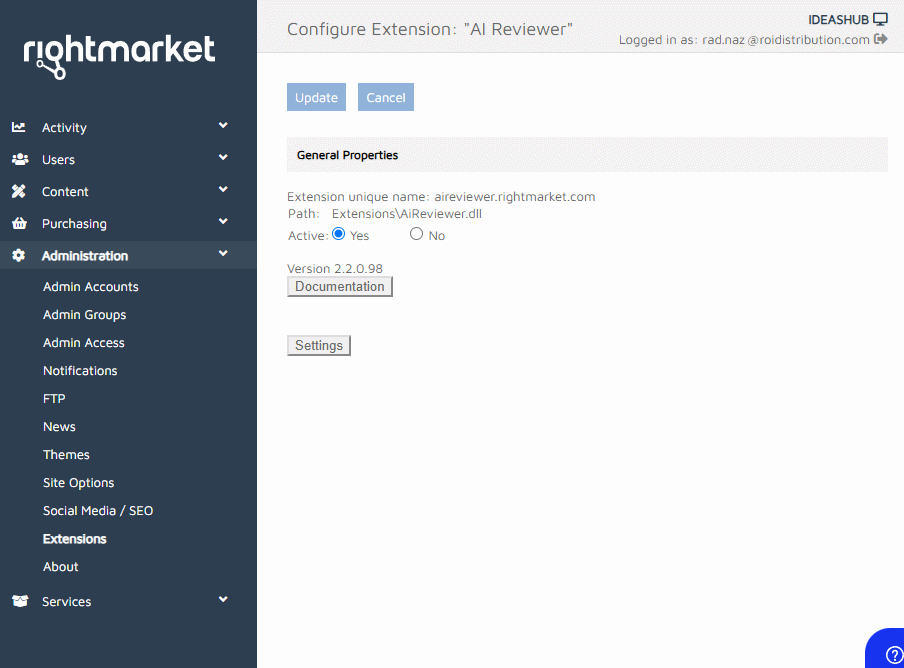
- Debug Mode - hidden, but if selected, for the communication with the OpenAI server, the extension uses the key written in the API Key - Test.txt file. Otherwise, the Live key is used.
- Initial Instructions for AI Prefix - hidden, but this is the prefix to the text which is sent to the OpenAI server at the start of the session, that is, when our client starts to customise their newly created Design. A standard English language is used here to tell the machine what we need it to look for. The customer admin can see the curren “Active Protection” on the Settings page:
Content Moderation Page
Page Header
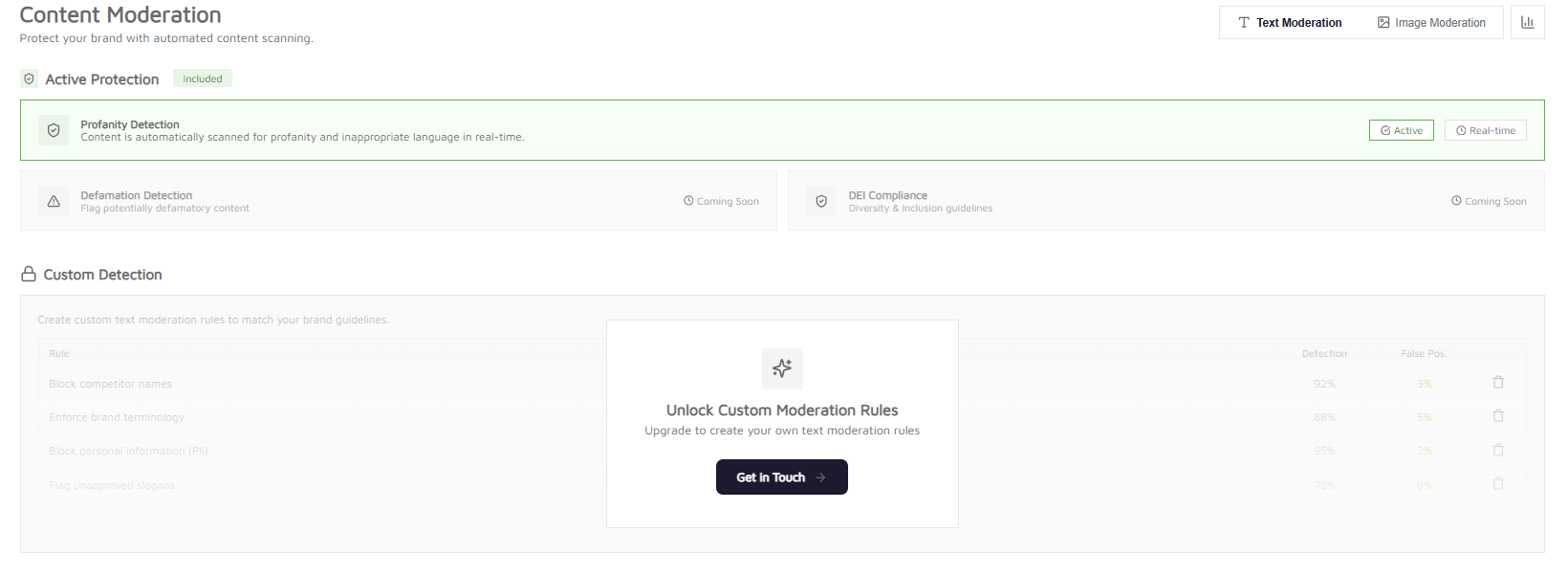
The page opens with the title Content Moderation and the subtitle “Protect your brand with automated content scanning.” In the top-right corner there is a pill-shaped toggle containing two buttons — Text Moderation (selected by default, shown with an underline) and Image Moderation. To the right of the toggle sits a small square analytics button (bar chart icon) that opens the Detection Analytics reporting page.
Text Moderation View
Active Protection
This section has a green shield icon, the heading Active Protection, and a green Included badge. Profanity Detection is displayed as a full-width card with a green border and light green background. It reads “Content is automatically scanned for profanity and inappropriate language in real-time.” On the right-hand side of the card there are two pill badges — Active (green outline with a check icon) and Real-time (grey outline with a clock icon). Below the profanity card, two greyed-out cards sit side by side. Defamation Detection reads “Flag potentially defamatory content” and DEI Compliance reads “Diversity & inclusion guidelines.” Both display a Coming Soon label with a clock icon. Their text, icons, and borders are all muted grey to indicate they are not yet available.
Custom Detection
This section has a grey padlock icon and the heading Custom Detection. Behind a frosted semi-transparent overlay, a sample table previews what custom rules could look like. Example rows include “Block competitor names” (92% detection, 3% false positive), “Enforce brand terminology” (88%, 5%), “Block personal information (PII)” (95%, 2%), and “Flag unapproved slogans” (78%, 8%). The table is dimmed and non-interactive. Centred over the table is a floating card with a sparkle icon, the heading “Unlock Custom Moderation Rules”, the text “Upgrade to create your own text moderation rules”, and a dark Get in Touch → button. Clicking it opens a pre-filled email to request.custom.rule@rightmarket.com with a structured template for describing the desired rule, target templates, trigger conditions, example text, and the suggested user-facing warning message.
Image Moderation View
Clicking the Image Moderation tab swaps the entire content area. The layout mirrors the text view. Active Protection Two green-bordered cards sit side by side. Child Safety Detection reads “Detects and flags images containing minors for review” and shows an Active badge. Explicit Content Filter reads “Blocks nudity, violence, and inappropriate content” and also shows an Active badge. Below them, two greyed-out cards sit side by side. Watermark Detection reads “Detect third-party watermarks on images” and Brand Logo Detection reads “Identify competitor or unauthorised logos.” Both show Coming Soon labels.
Custom Detection
The same locked overlay pattern as the text view, but with image-specific sample rules — “Block competitor logos” (85%, 4%), “Minimum resolution check” (99%, 1%), and “Block stock photo watermarks” (87%, 2%). The overlay text reads “Upgrade to create your own image moderation rules” and the Get in Touch → button opens the same email template.