Documentation Summary
Setting Up
Installation
The following files must be installed in these Storefront directories:
/WebPages/_ContentCentralBody.ascx
/WebPages/_ContentCentralUpload.ascx
/WebPages/_ContentCentralNew.ascx
/WebPages/_ContentCentralImport.ascx
/WebPages/AdminContentCentral.aspx
/WebPages/ContentCentralLoader.gif
/WebPages/bin/ContentCentralEntityFramework.dll
/WebPages/bin/ContentCentralDatabase.dll
/WebPages/bin/ContentCentralAdmin.dll
/WebPages/bin/Extensions/ContentCentralExtension.dll
/WebPages/Custom/ContentCentral/ContentCentral.resx
Extension Configuration
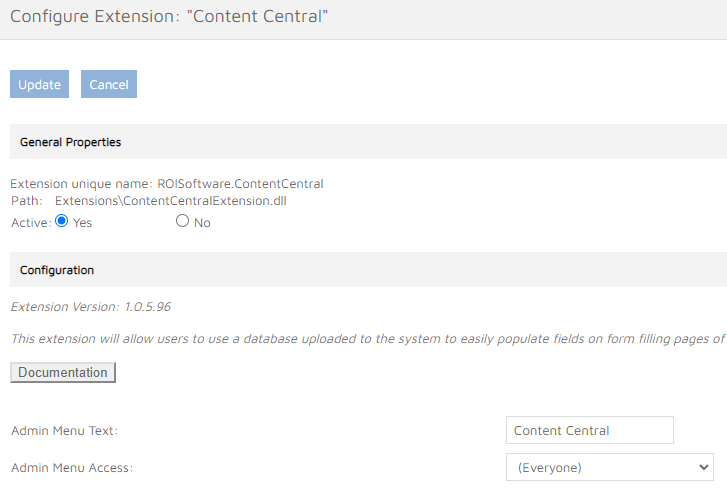
In the extension configuration, the name of the Content Central configuration page can be set. There is also the ‘Admin Menu Access’ drop down that can be used to limit access to the Content Central admin page to only a specific admin group. By default every admin user has access to the page.
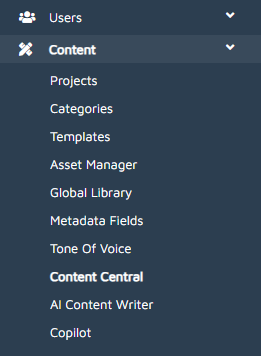
After the extension has been activated, a new tab will appear on the left menu with the name entered in the extension setup.
Form Filling Fields Configuration
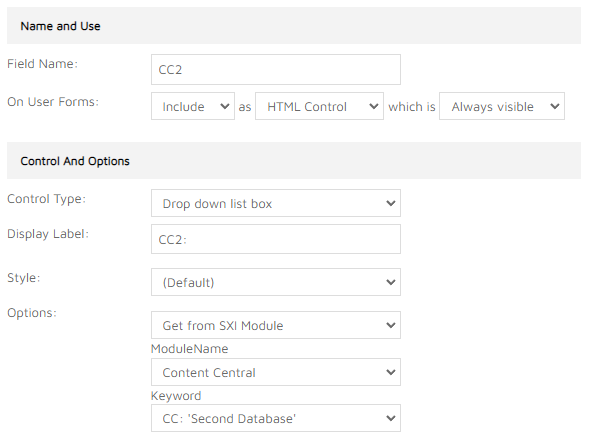
Each product enabled for Content Central can contain multiple record selection drop down controls. Each such control has to be created as ‘Drop down list box’ control type and it has to be configured to retrieve values from SXI Module. The ModuleName is ‘Content Central’ and the Keyword is the required Content Central database name. The drop down control can be placed at any location among other form filling fields. Default values can also be configured - the relevant form filling fields are populated on initial load of the document customisation user page.
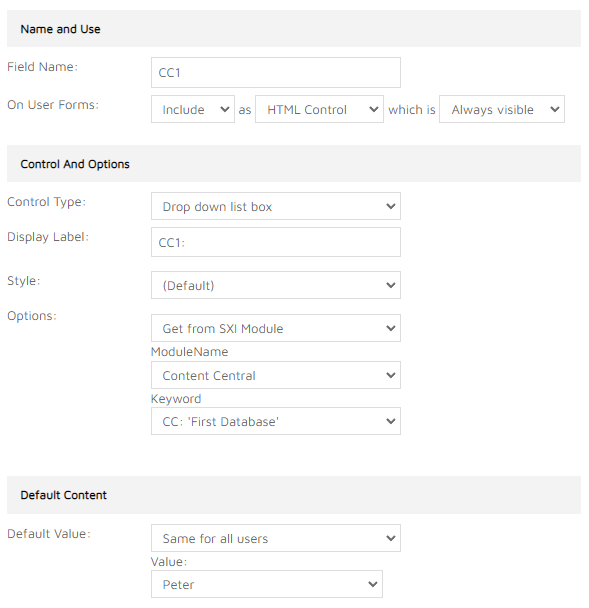
Multiple drop downs can be achieved by creating another drop down control with a different database selected in the Keyword setting.