 Documentation Summary
Setting Up
To configure the extension, navigate to the extension’s administration page.
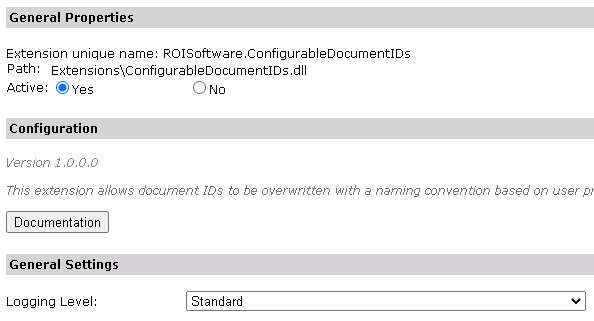
Logging Level
Select logging level depending on the requested detail level of the information logged.
Standard - only errors during image acquisition and processing are logged.Debug - all results of ResourceSpace API calls are logged in detail.
The Standard logging level is preferred to make it easier to spot errors.
Renaming Rule Configuration
The configuration itself is on a per product basis, so the rule is a product metadata field. The field is created automatically by the extension and it is named ‘Configurable Document IDs Rule’. The renaming rule may contain any valid characters and certain Storefront fields. A free text field is used with both client-side and server-side validation. The validation logic makes a series of checks and displays error messages with a description of which part of the rule is wrong. First of all it is tested that the rule contains only characters that are allowed in file names. Additionally it is checked if the rule only contains fields which exist. Only 3 field types are permitted in the renaming rules: User Profile FieldsForm Filling Fields of the relevant productProduct Metadata Fields of the relevant product
The rule can contain any existing user profile field, form filling field and product meta field of the current product. The template string for the fields is made of the prefix and the field name, for example ‘[UserField#UserProfileFirstName]’. Valid prefixes are: UserField - for user profile fieldsFormFillField - for form filling fieldsMetadataField - for product meta fields
So examples of valid rules would be:
Item_[UserField#UserProfileLastName]
BusinessCard_[FormFillField#MyID]_red
DOC_[UserField#UserProfileFirstName]_[FormFillField#Lastname]
The following image shows an example renaming rule in the metadata field. The blue question mark shows a tooltip help on the renaming logic and field types that are permitted:

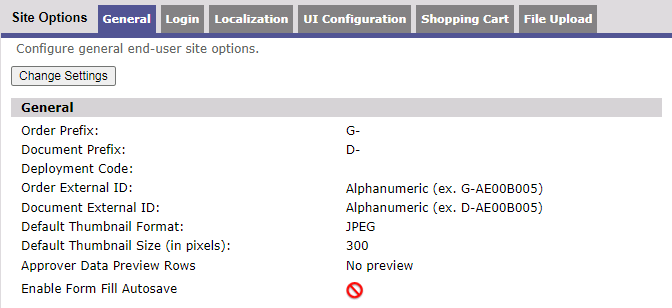
The Document Prefix as defined on the Site Options admin page does not apply to Configurable Document IDs. The Document ID is replaced entirely by the rule defined in the metdatada field as described above.
Kit Products
Kit products may also be configured to use the Configurable Document IDs functionality but there are certain specifics that should be taken into account: Both the kit product and the kit parts can be renamed.The name of the kit product affects the zip file name, while the name of the kit part affects the name of the files within.When kit part customization is not allowed, all values are taken from the kit product which results in the the kit parts having the same values. In this situation, it is not advisable to use the same renaming rule on multiple kit parts, since this would result in the same output file names (an automated logic will add a random appendix to avoid problems).When kit part customization is allowed, it is inadvisable to have kit part form field names that match kit product form field names to avoid Storefront overwriting their values.