 Documentation Summary
Troubleshooting
Compatibility
This documentation is refering to Studio 8.
Limitations
Not applicable.
Known Issues
When entering the Components argument value as a Constant directly using the Studio, please separate the numbers by spaces:
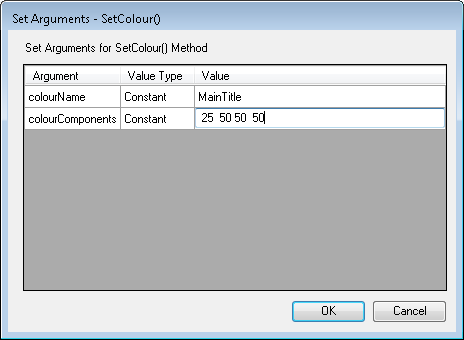
SetColour() - constant "components"
The comma character is fine when the argument value is populated from a Project Variable or when the resulting .pf file is edited manually. If the Pageflex Studio 8 is used to enter the Components argument value and the numbers are separated by commas, then the resulting .pf file looks like this:
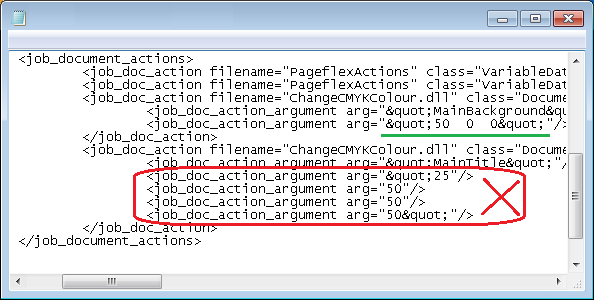
.pf file problem
Instead of one argument having comma characters inside, there are four, damaged. This error makes the document fail when processed by the Pageflex Server and the true reason of the failure doesn’t even appear in the rendering log.
Logging
As the SetColour() code is run by the rendering server, it is leaving messages in the rendering log-file. Examples:
Change CMYK Colour Error 0x4: Element or colour is null. Please check your inputs.
Change CMYK Colour Input: Change ‘MainBackground’ to ‘50,35,18,0’.
Change CMYK Colour Error 0x3: ‘101,35,18,0’ is not a valid CMYK colour.
Debugging
If the rendered Design doesn’t display the correct colour, please look up the Design’s Output Folder and find the rendering log-file. It may contain a message telling us what is wrong. See the Logging.