 Documentation Summary
Personal Budgets
The default budget can be overriden on a per-user basis. Personal budgets can be configured individually on the budget administration page.
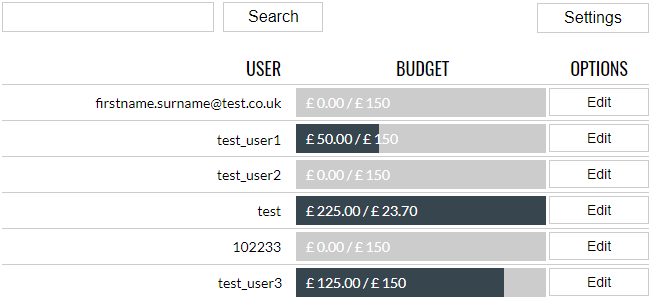
The budget administration page shows a lis of all of active users with a budget bar to show their current usage.
Users can be searched for by username using the search box. The results will show all users whose usernames contain the term entered.
Clicking the Edit button displays a frame to enter a new budget for the selected user.
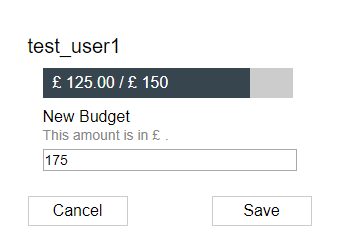
The New Budget text box allows administrators to edit enter a new budget amount. A blank value means the user will use the default amount as specified in the settings.
If the value entered for the new budget is less than the amount already spent for the current budget timeframe, a warning is shown.
If a user’s budget is set to an amount less than what has already been spent by that user, the user will be treated as though they have spent all their budget for the current period.
Clicking the Cancel button or outside the frame closes it without saving.