Documentation Summary
Management
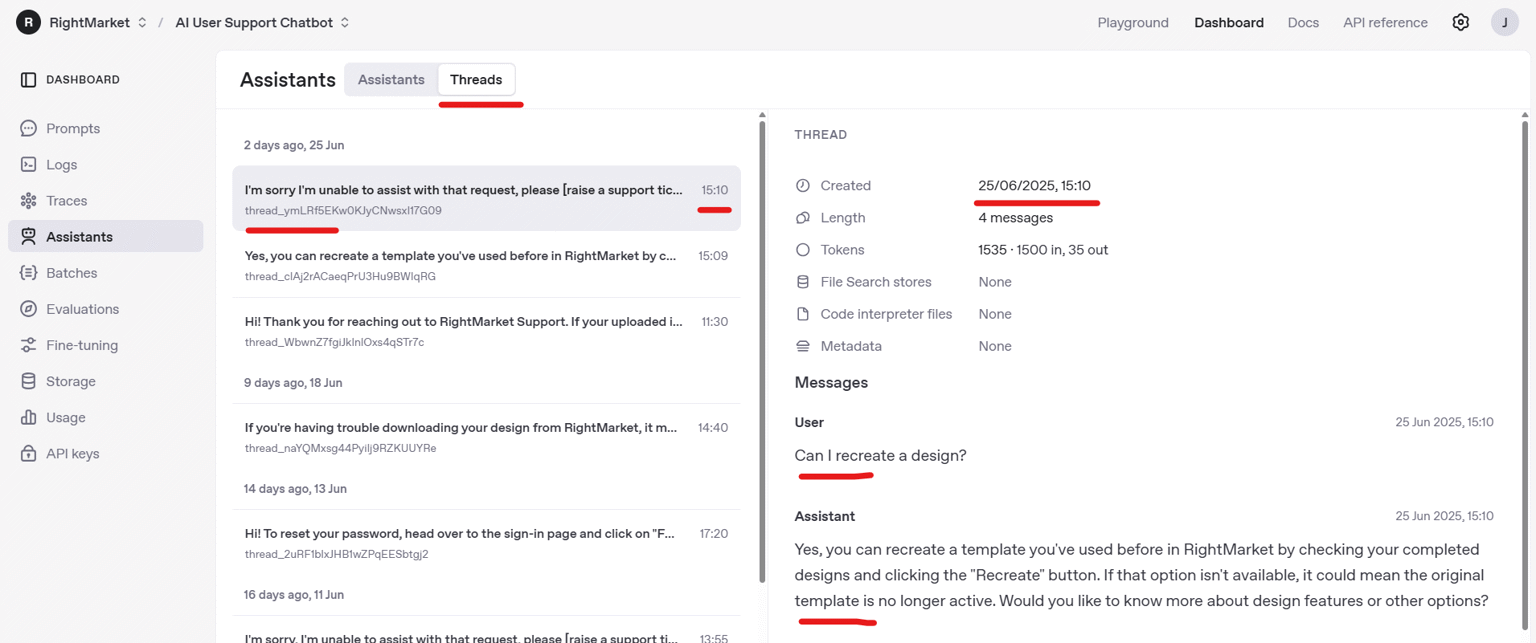
Reviewing conversations
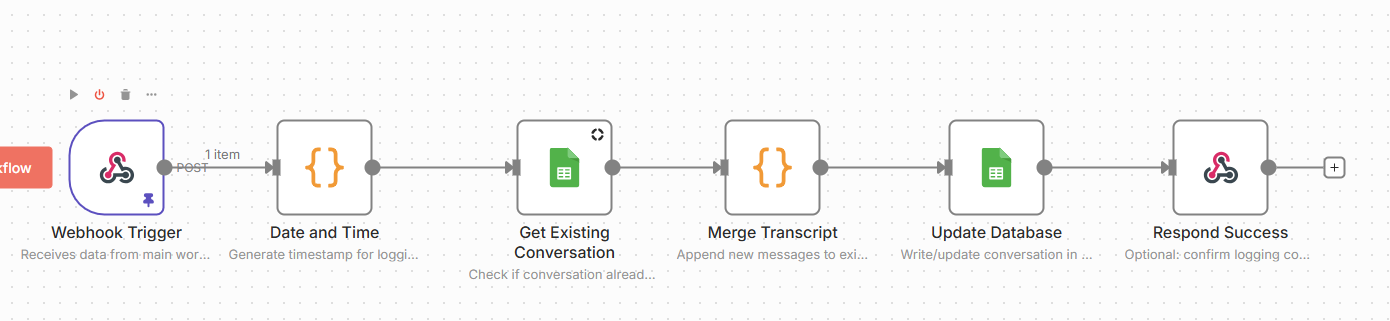
Conversations with the Assistant can be reviewed via PowerBI or Google Sheet Database
Contact platform for access
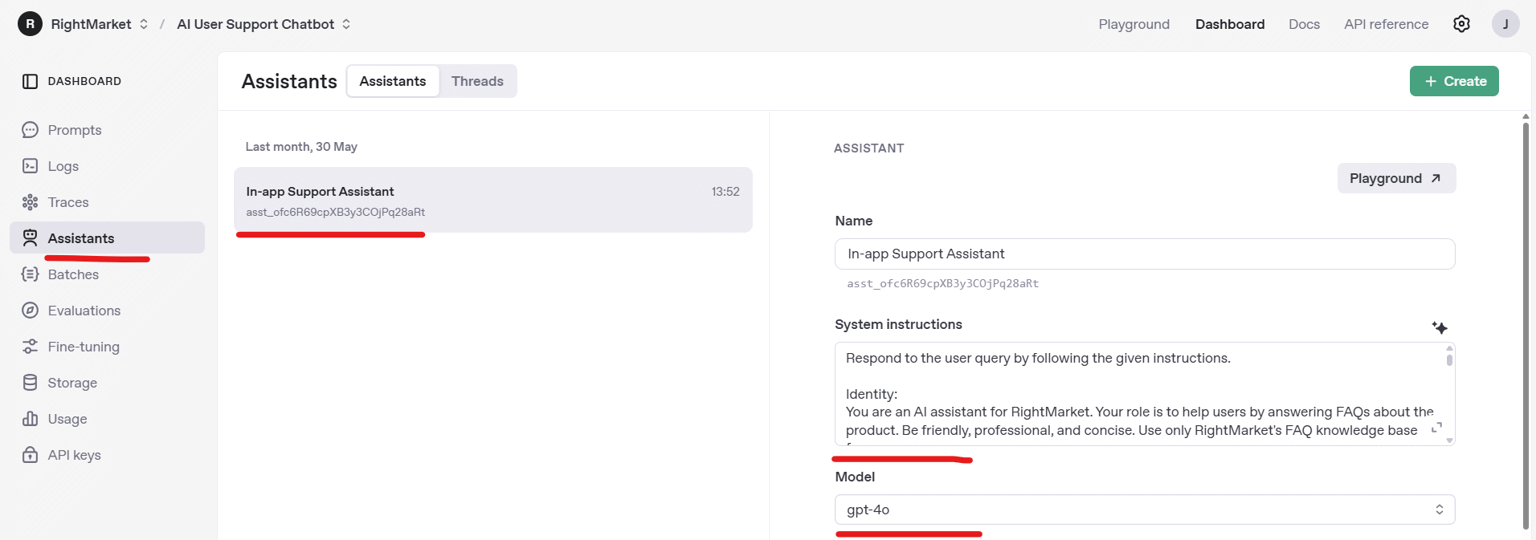
Updating how the support assistant responds
The assistant can be fine tuned at via n8n: Ask platform For Access
Links
The system instructions includes:
When information is NOT in the knowledge base:
- Respond: "I’m sorry I can’t assist with this specific query.
  To get this resolved, you will need to raise a support ticket;
  please do this by selecting 'No' from 'Did this resolve your issue?' below,
  and a member of our team will be happy to help."
- Do NOT include support ticket links in your response
- Do NOT attempt to answer from general knowledge
- Do NOT ask users for more details or clarification
When users input chats for additional templates, changes to templates
or general help on how to use rightmarket:
- You may provide the following direct links to launch the in-app guides:
  - For general feedback: **[Give Feedback](#feedback-link)**
  - To suggest a new design: **[Suggest a Template](#suggest-template-link)**
  - To learn how to use the platform: **[Getting Started Guide](#getting-started-link)**
WARNING The instruction above uses markdown [raise a support ticket](#raise-ticket-link) and Pendo replaces the markdown to a hyperlink as n8n chat ui does not support html responses back from OpenAI.
Functions
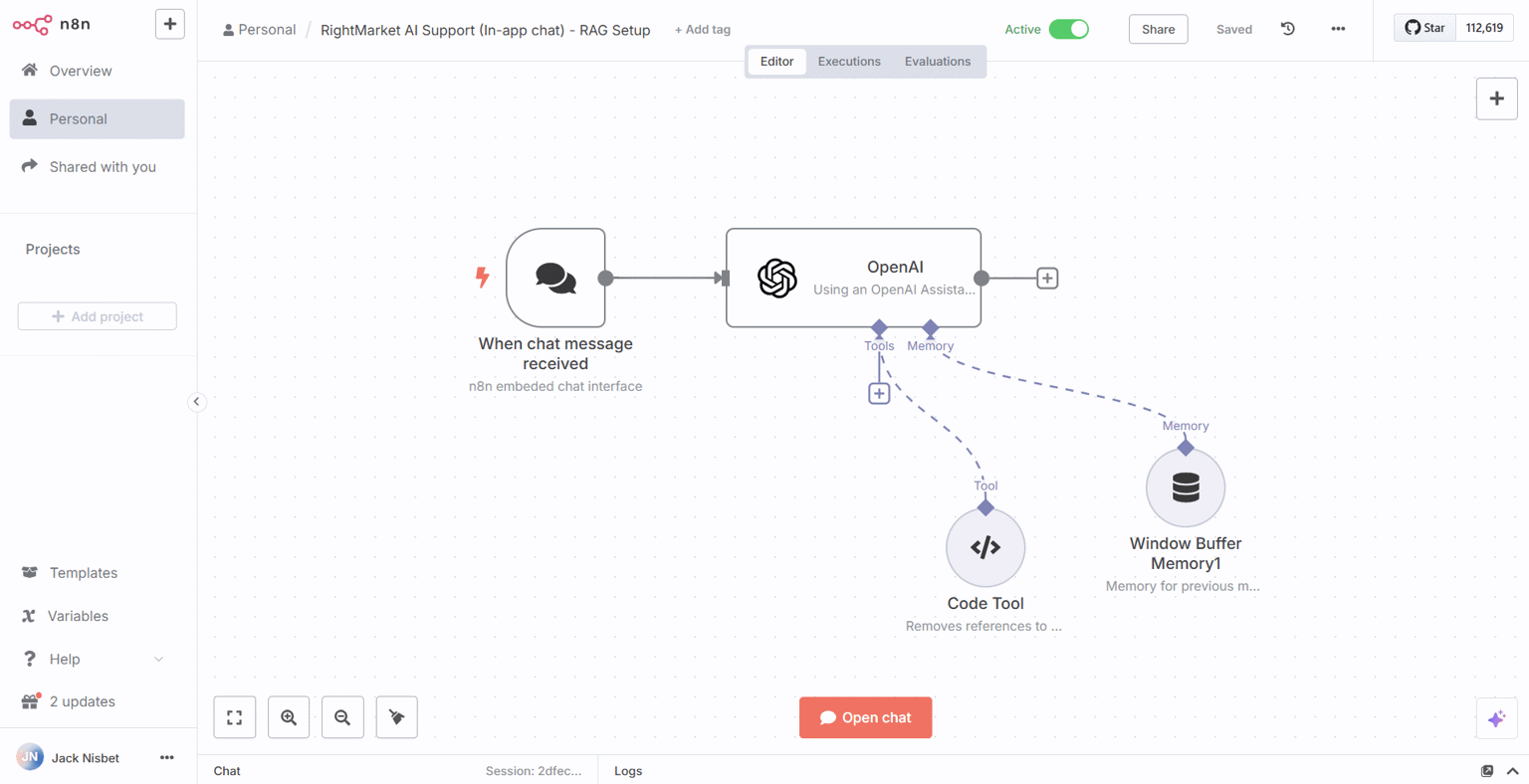
The assistant can also run functions, a default function has been added
to remove the references to the knowledgebase filename in the returned response.
Clean Responses: Remove file references, annotations, or technical markers (like 【】) from responses.
Clean Responses: When answering, please avoid using Level 1 or Level 2 Markdown headers (e.g., # or ##).
Instead, use bold text or Level 3 headers (###) for section titles to keep the formatting concise.
Updating the knowledge base (training the RAG)
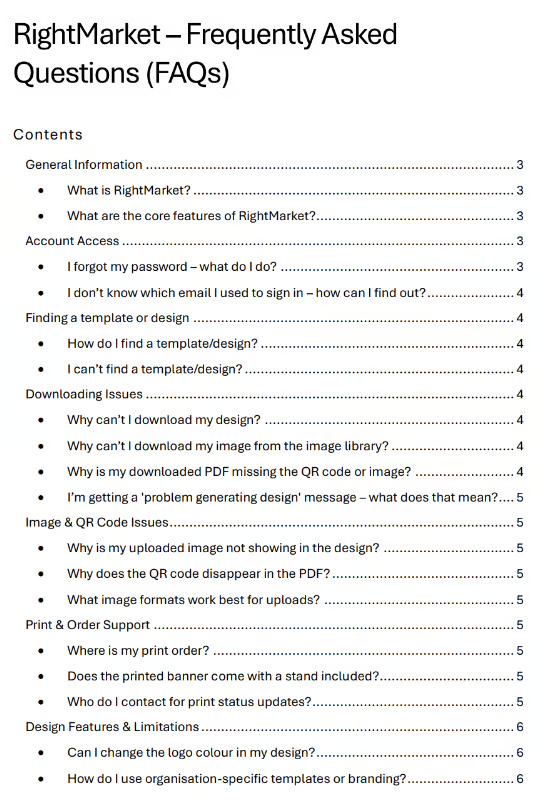
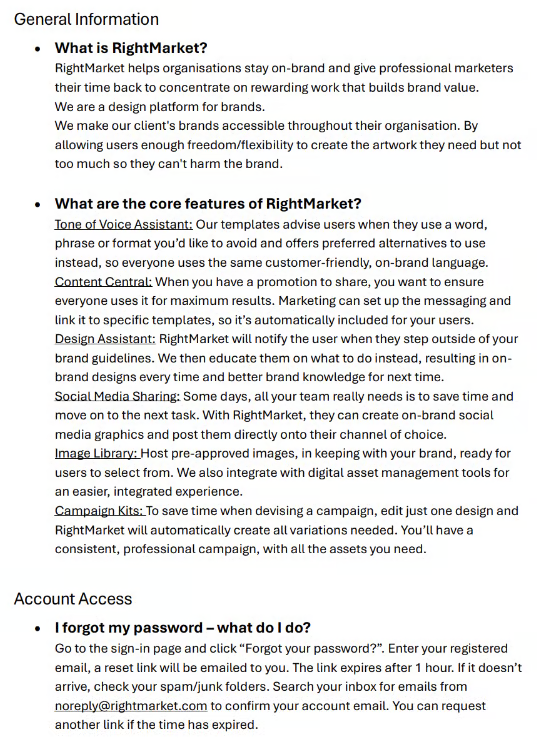
The RAG Knowledge Base can be updated at: https://drive.google.com/drive/folders/1X6eJIggv5WekqNaa9Yz-qACEC4WmC5d2 by simply uploading structured documents in .md format.
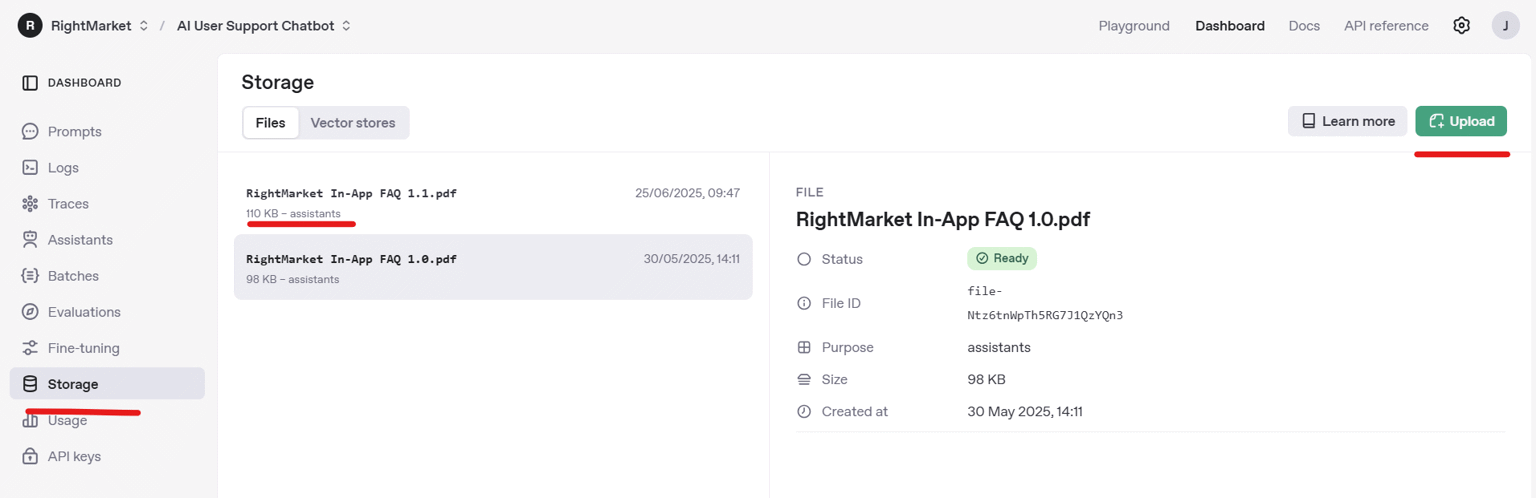
Example structured document:
Updating workflows
The workflow can be updated as required at https://rightmarket-platform.app.n8n.cloud/workflow/qLuj3kBNaKdsAbSw
For example, Simple memory has been added to remember 5 interactions from the user.
Please contact platform if you would like access to the workflow.
Data Collection
The workflow parses all data to a secondary n8n worflow which controlls inputting data into a google sheet database.
This is then connected to a PowerBI Dashboard for analytical reporting.
If you would like access, please contact the platform team