 Documentation Summary
Troubleshooting
Compatibility
Supported Image File Types
- .jpg, .jpeg
- .tif, .tiff
- .eps
- .gif
- .png
- .bmp
Unsupported Image File Types
Kits
Only Form Filling at a kit level is supported, Kit Parts customisation is not supported.
Limitations
Image Metadata
For the integration to correctly display image names, the file name must be mapped to metadata field #8, which by default is called “Title” and maps to EXIF title image data. If another field is used for the image name instead, it must be mapped to field ID #8. More information about image metadata in ResourceSpace can be found here.
ResourceSpace User Permission Settings
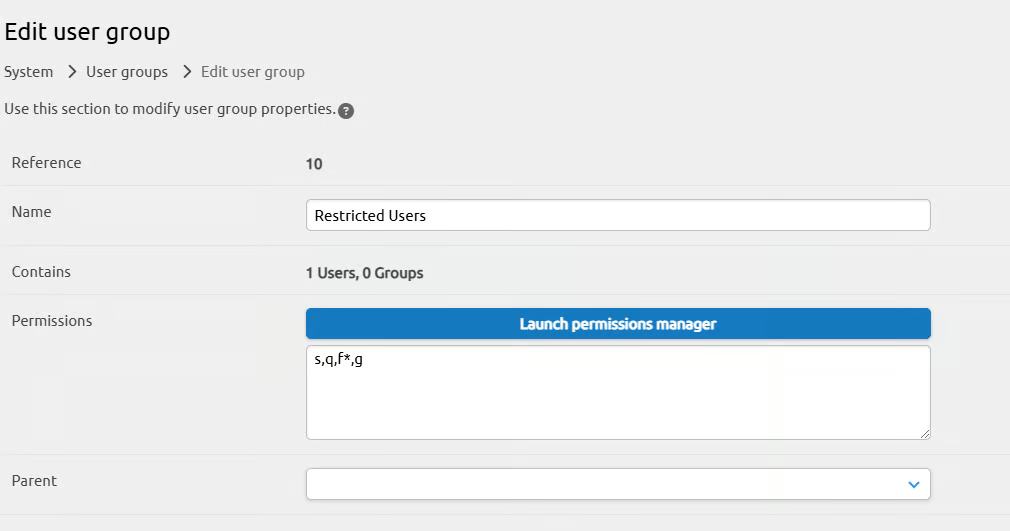
Permission settings for the user account used for API access can affect browsing and searching results. The integration requires the following permissions:
| Permission | Description |
|---|---|
| s | Can search for resources |
| g | Without this permission, the users in the group will have 'restricted' access to any 'restricted/open' resources. |
| q | Can make resource requests. |
| f* | Can see all fields |
| a | Can access system menu. Required only when featured collecions are configured. |
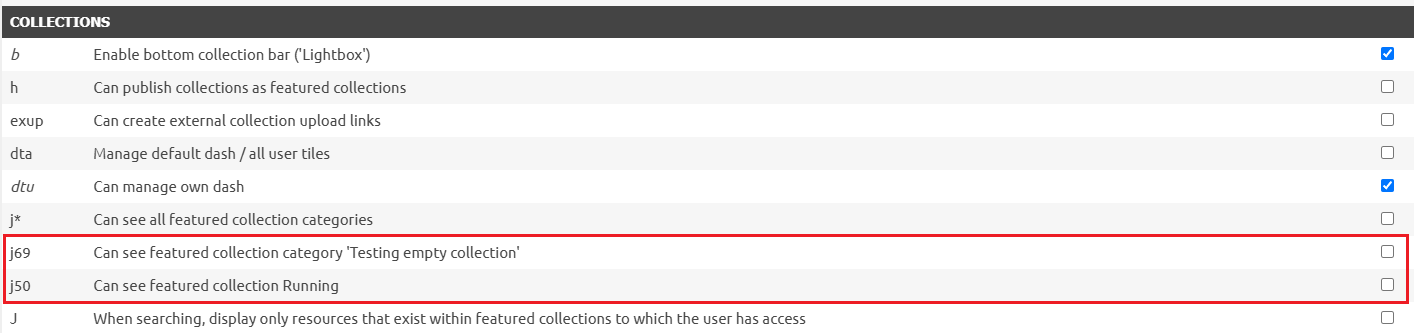
| j* or j? | Can see all featured collection categories. Can see featured collection in category where "?" is the actual collection ID. Required only when featured collecions are configured. |
See more details in the ResourceSpace All users permissions overview.
Featured Collections
When featured collections are configured, the user account used for API access must contain the “a” permission.
The j? permission, where the ? is the internal number of the collection, allows administrators to choose which featured collections are visible to users and can be configured in the permissions manager in ResourceSpace.
Accessibility
On viewports narrower than 660px, the ‘Select from ResourceSpace’ and ‘Browse from computer’ buttons should be stacked vertically in a column instead of displayed side by side in a row.
Additionally, when selecting an image within the ResourceSpace modal on shorter viewport heights, the image options are not fully accessible—users are unable to select their desired image due to layout constraints.
Known Issues
The username associated with the API Key must not have spaces in it.
Logging
All errors flagged by the extension are logged in the admin logs.
Debugging
As an integration, there may be additional logging for issues available in ResourceSpace for certain issues.