 Documentation Summary
Setting Up
Installation
Managed should be installed via https://manage.rightmarket.com
The installation should include the following files:
/WebPages/bin/AdminNewsfeed.dl
/WebPages/bin/Extensions/Managed.dll
/WebPages/Images/AdminManaged.Add.png
/WebPages/Images/AdminManaged.Delete.png
/WebPages/Images/AdminManaged.Download.png
/WebPages/Images/AdminManaged.Edit.png
/WebPages/Images/mngdExpand.png
/WebPages/Images/mngdHide.png
/WebPages/Images/mngdSub.gif
/WebPages/Images/RightMarketLogo1.html
/WebPages/Images/RightMarketLogo2.hyml
/WebPages/Images/ROI360_white.png
/WebPages/Images/ROI360logo.png
/WebPages/Images/ROI360PoweredBy.png
/WebPages/Images/ROI360ProductKit.gif
/WebPages/Images/ROI360ProductVariableData.gif
/WebPages/ROI360/ManagedService/Text.resx
/WebPages/ROI360/ManagedService/AdminBaseTheme/Admin.css
/WebPages/ROI360/ManagedService/AdminBaseTheme/AdminBody.html
/WebPages/ROI360/ManagedService/AdminBaseTheme/AdminHead.html
/WebPages/ROI360/ManagedService/AdminBaseTheme/AdminLogin.css
/WebPages/ROI360/ManagedService/AdminBaseTheme/AdminLoginHead.html
/WebPages/AdminManaged.ashx /WebPages/AdminManagedConfiguration.aspx
/WebPages/AdminManagedFTPAccounts.aspx
/WebPages/AdminManagedScheduledMaintenance.aspx
/WebPages/AdminNewsfeed.aspx
/WebPages/Modify.Web.config
The following files will be in the package but will not be installed:
/install.config
/inventory.config
Configuration
The extension should be turned on and configured via “Extensions”.
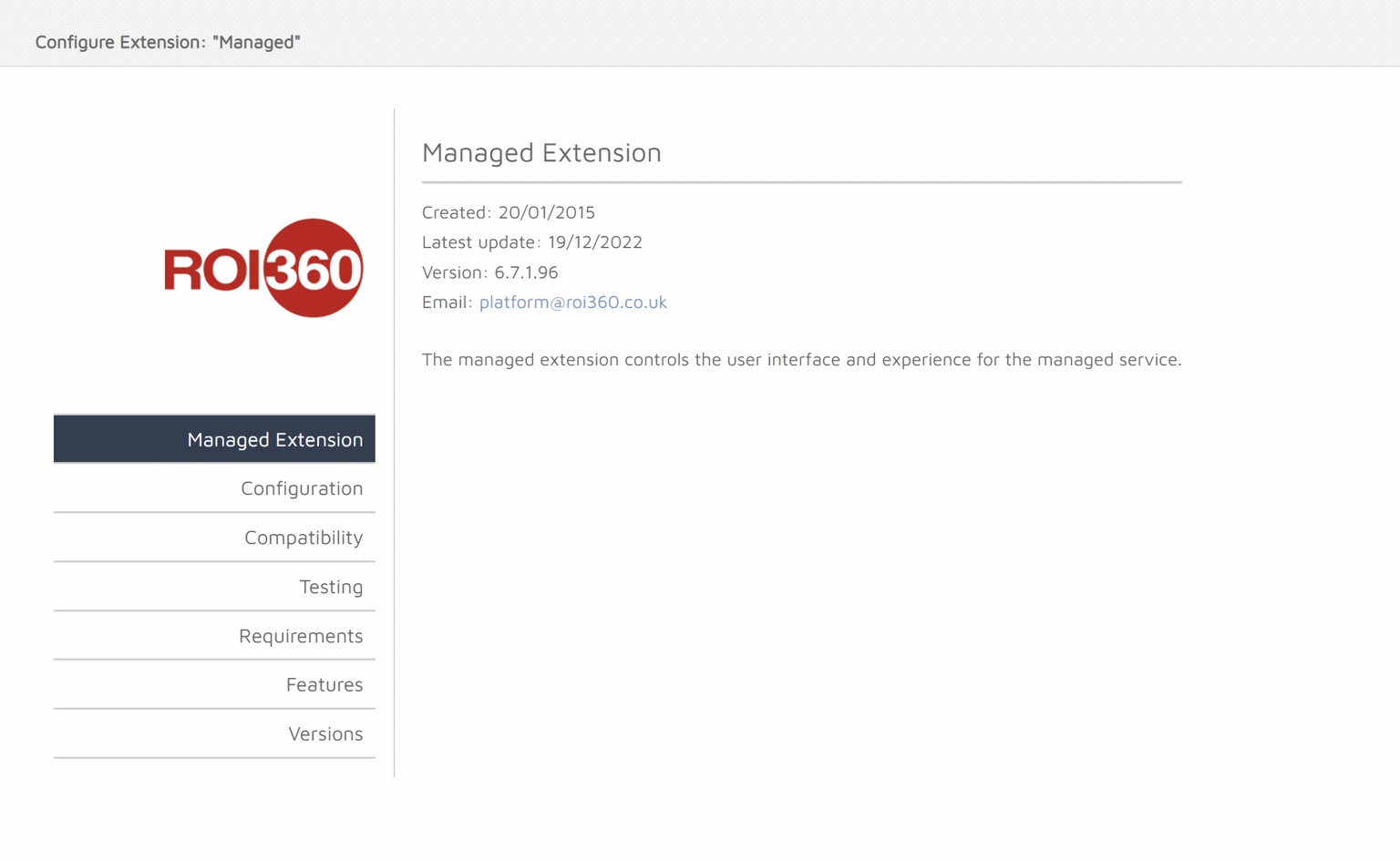
Within the extension options, a number of options and information are visible within the tabs:
Managed Extension - Shows latest release data.
Configuration - This is where all of the options to configure the extension are located. These are in the next section.
Compatibility - Shows the extension compatibility for different versions of Storefront.
Testing - Testing data for different versions of the extension and Storefront.
Requirements - Requirements for the extension to operate correctly.
Features - A high level view of all main features within Managed.
Versions - Shows a full version history for the extension.?
Configuration Page
Within the extension, there is a Configuration page. This page contains the following options. The only option on this page that can be changed without prior approval from Product is “roi360 view”.
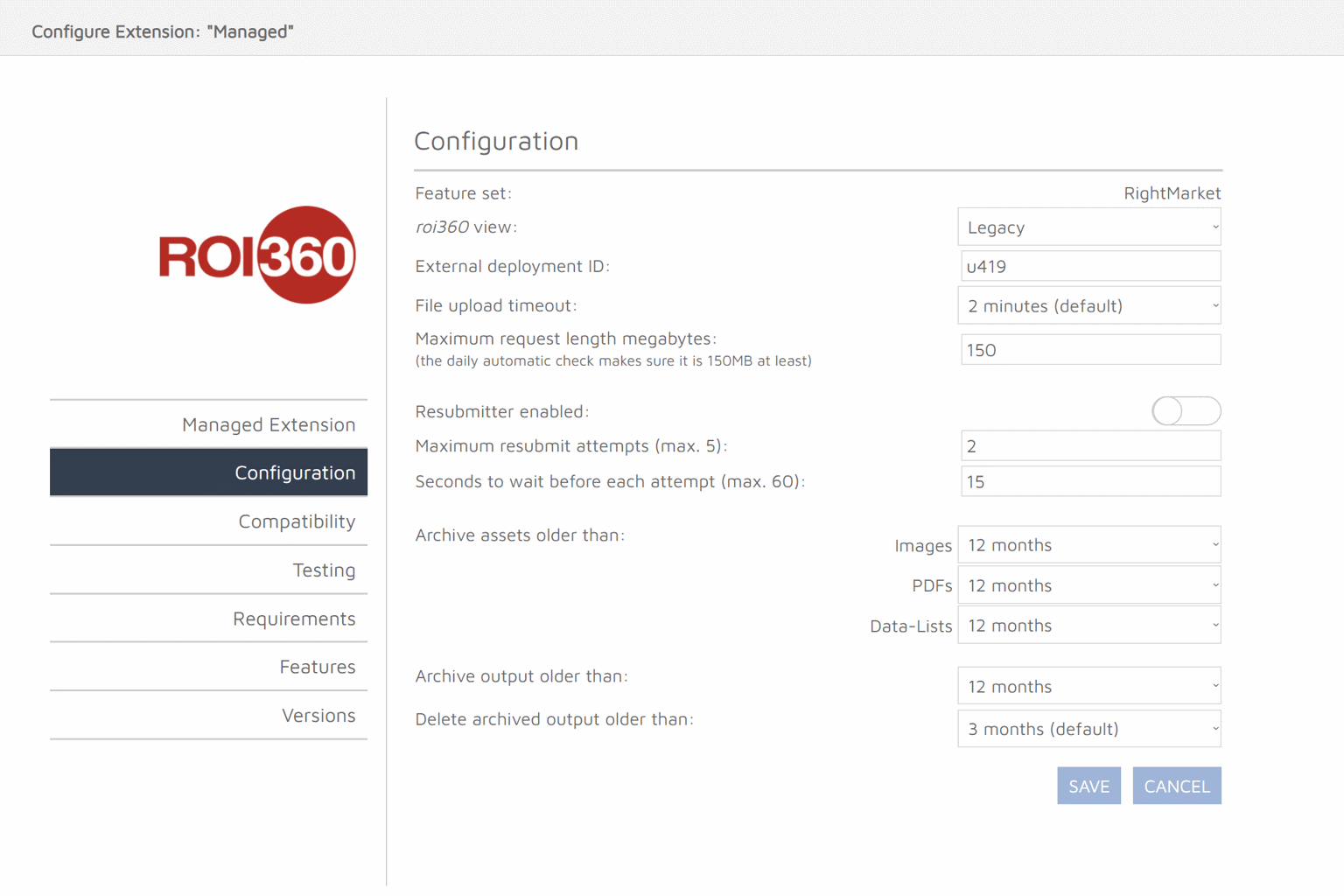
Feature set - Shows which feature set is in use, this will either be ROI360 or RightMarket. This is controlled via the customer options on https://manage.rightmarket.com\\ roi360 view - This option changes the view that the roi360 & rightmarket user see’s. This can be changed from:
- Legacy - This view shows the full Managed Admin feature set.
- Pageflex - This view shows the default Pageflex view.
- Customer - This view shows the cut down view which customer see.
External deployment ID - The unique deployment ID used for FTP
File upload timeout - File upload timeout limit in minutes
Maximum request length megabytes - Max request length in mb.
Resubmmiter enabled - Automatic resubmittion of failed artwork output.
Maximum resubmit attemps (max. 5) - How many times the above resubmitter will retry a failed artwork output.
Seconds to wait before each attempt (max. 60) - How many seconds the above resubmitted will wait in between resubmittions.
Archive assets older than - Archives assets older than a specified age.Archive output older than - Archives output older than a specified age.
Delete archived output older than - Deletes output older than a specified age.