 Documentation Summary
Setting Up
To configure the extension, navigate to the Services -> Data Merge API page.
Additional configuration may be shown when multiple data sources are available.
Administrator Permissions
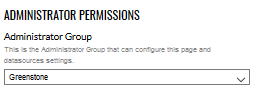
Access to the Data Merge API administration page and settings can be limited to a subset of administrators. Any administrators not in this group will not see the link to the page, nor will they see it on the extensions page.
Greenstone Settings
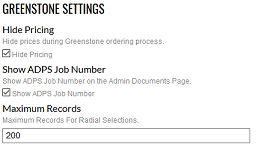
Hide Pricing hides the record costs in the data selection UI only.
Enabling the Show ADPS Job Number option will add an extra column on the administrator documents page with the ADPS job number, for easy cross-referencing between the deployment and ADPS.
Maximum Records only affects the radial interface, the same street interface always has fixed maximum value of 40 records (for 20-20 campaigns).
Greenstone Connection
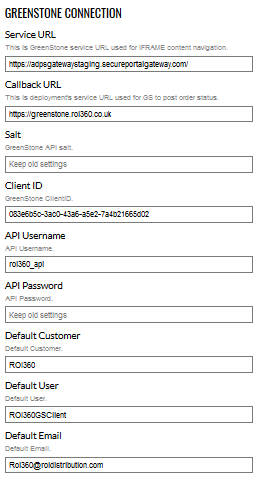
The Service URL is the Greenstone gateway URL used to communicate with Greenstone’s web services. The default value is provided by Greenstone and should only be changed upon Greenstone’s advice.
The Callback URL is the deployment’s URL. The URL must start with “https” and the SSL certificate must be up to date, due the security requirements of the integration.
The Greenstone API Salt, ClientID, API Username and API Password are required to autenticate the connection. Values of the API Salt and API Password are hidden once set for security reasons.
The Greenstone API Salt, ClientID, API Username and API Password can be overwritten by per-user basis using User Profile fields. User profile fields are preferenced for connection when present.
The integration sends the user’s name (UserProfileFirstname + UserProfileLastname), email (UserProfileEmailAddress) and company (UserProfileCompany) to Greenstone when selecting data. If for any reason these values are missing, the integration will instead send the Default values as substitutes.