 Documentation Summary
Setting Up
Installation
The Document Actions assembly DLL is added by the Studio designer to a Template Project folder:
Example: A5_Leaflet\Document Actions\FillImage.dll
The studio designer can then configure a Job to call the method
ResizeImages()
Studio Project Configuration
In Studio, a Job can be configured to call the method:
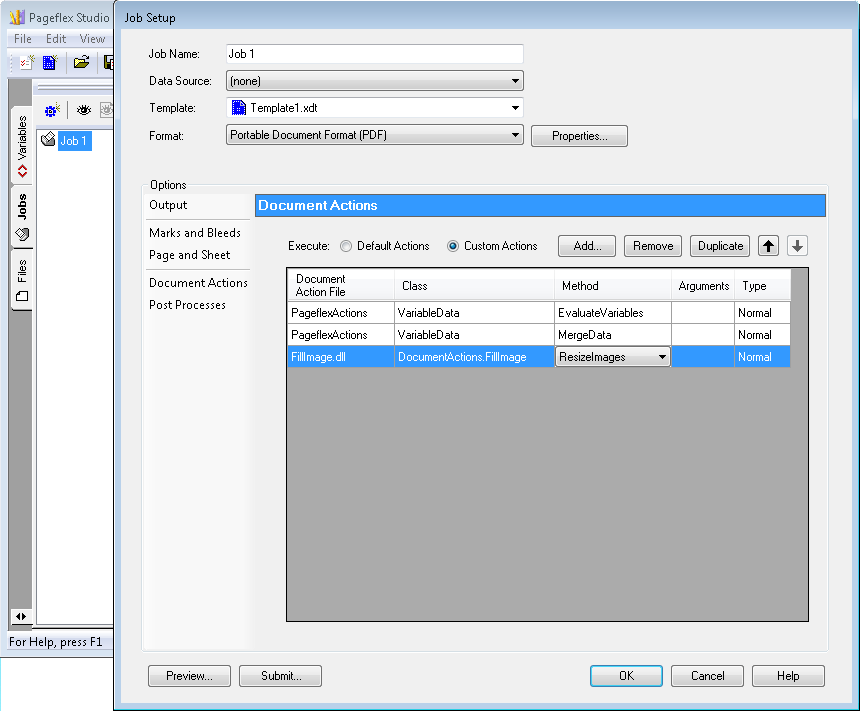
A Job being configured in the Studio
In order for the image to be resized, the Studio designer must place the image in an AreaTemplate container. The image must be set visible. If there’s a need to exclude a certain image from resizing, its AreaTemplate container must have the name “exempt”.