 Documentation Summary
Setting Up
Product Form Filling Field Setup
On the product’s Form filling step, select a field which visibility should to be configured for multiple conditions.
Field name (and field names of primary and secondary condition fields) must not contain spaces.
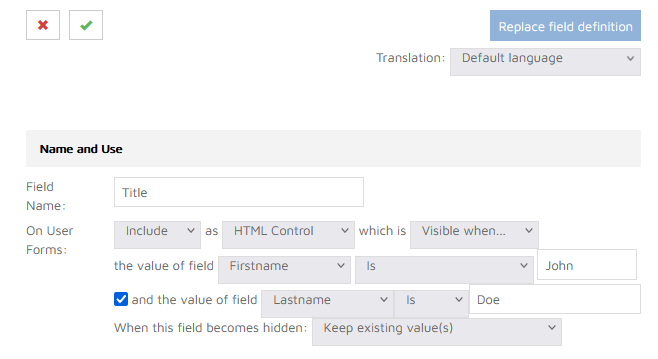
To enable the secondary condition, tick the checkbox, select secondary field, condition and the value.
To disable the secondary condition, untick the checkbox and save the changes.
Save the field changes and re-release the product to ensure the field settings are applied correctly.